There’s a quiet shift happening in how people set up home security systems. Fewer homeowners are relying on battery-powered cameras or tangled messes of separate power adapters. Instead, many are running a single Ethernet cable to each camera that carries both data and power. That’s PoE — Power over Ethernet — and once you understand how it actually works, it’s hard to go back.
I’ve been writing about and researching office and home network infrastructure for years now. A lot of that time has been spent looking at how the same enterprise-grade cabling principles apply to residential setups — and where people go wrong when they skip steps. PoE for security cameras is one of those areas where cutting corners has real consequences, not just slower speeds.
What PoE Actually Does (And Why It Matters for Security Cameras)
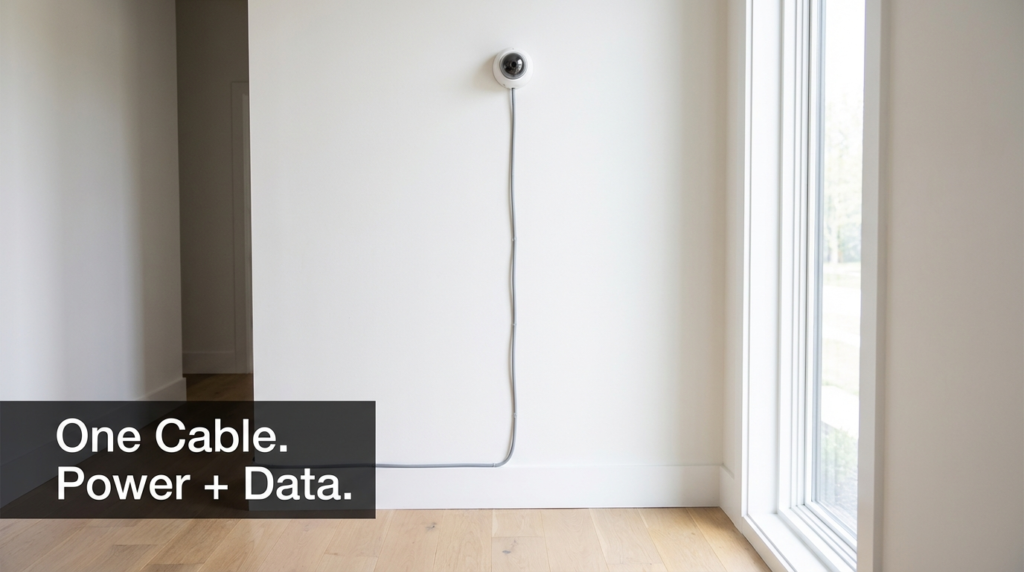
PoE sends electrical power alongside network data through a standard Ethernet cable. Your camera plugs into the wall jack, and a single cable runs back to a PoE switch or PoE injector. No separate power outlet needed at the camera location. This is a big deal when you’re mounting cameras on eaves, garage walls, or anywhere an outlet would be impractical.
The switch (or NVR with built-in PoE ports) becomes the power source. It detects whether the connected device is PoE-compatible before sending power — a negotiation process that prevents it from frying regular non-PoE devices.
For security camera systems specifically, this setup means:
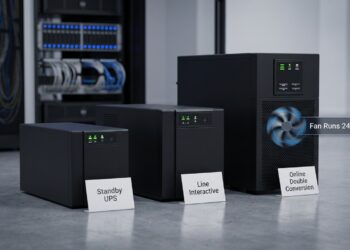
- Cameras stay powered even during brief local power interruptions if your switch is connected to a UPS
- You can reboot a frozen camera remotely by power-cycling its port from the switch interface
- One cable pull per camera instead of two (data + power)
- Centralized power management from a single location
Understanding PoE Standards — This Part Is Not Optional
This is where most DIY guides gloss over things, and it matters more than people realize.
| PoE Standard | IEEE Spec | Max Power Delivered | Common Use Case |
|---|---|---|---|
| PoE | 802.3af | 15.4W (12.95W at device) | Basic IP cameras, VoIP phones |
| PoE+ | 802.3at | 30W (25.5W at device) | PTZ cameras, access points |
| PoE++ Type 3 | 802.3bt | 60W (51W at device) | Video intercoms, multi-radio APs |
| PoE++ Type 4 | 802.3bt | 100W (71.3W at device) | Displays, high-draw devices |
Most residential security cameras — fixed-mount, 4K included — run comfortably on PoE+ (802.3at). PTZ cameras with heaters often need PoE++ Type 3. The standard matters because your switch has to support the same tier as your camera, and your cable has to handle the wattage safely.
The IEEE 802.3bt standard governs PoE++ and defines both the power delivery specs and the cable requirements that go with them. This is the document manufacturers reference when they claim compliance.
The Cable Question: Where Most People Make a Costly Mistake
Here’s something that doesn’t get enough attention in home security guides: not all Ethernet cable is the same, and using the wrong type with PoE — especially higher-wattage PoE — is a genuine problem.
Cat5e vs. Cat6 vs. Cat6A for PoE
| Cable Type | Max Bandwidth | PoE Heat Risk | Max Recommended PoE Run | Notes |
|---|---|---|---|---|
| Cat5e | 1 Gbps | Moderate | 100m (PoE/PoE+) | Acceptable for low-wattage PoE |
| Cat6 | 10 Gbps (up to 55m) | Lower | 100m (PoE/PoE+) | Better conductor, less resistance |
| Cat6A | 10 Gbps (up to 100m) | Lowest | 100m (PoE++) | Recommended for PoE++ Type 3/4 |
Cat6A is the preferred cable for any PoE++ installation. Its larger conductors generate less heat under load, and its shielded variants handle bundled cable runs much better.
CCA Cable Is a Real Fire Hazard — Not a Marketing Claim
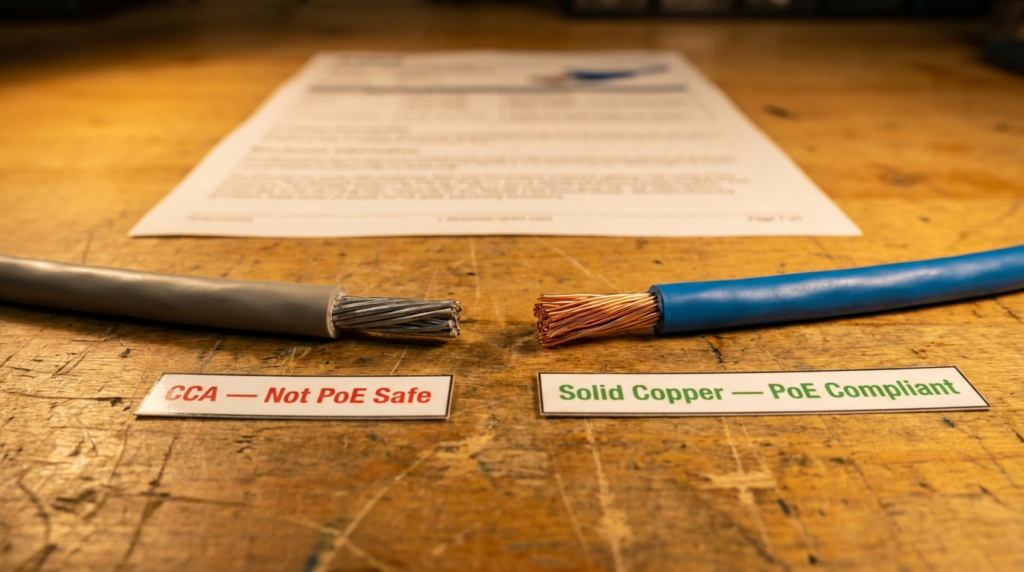
CCA stands for Copper Clad Aluminum. It looks exactly like solid copper Ethernet cable from the outside, costs less, and is sold widely online. The problem: aluminum has higher electrical resistance than copper. Under PoE loads — especially PoE++ where you’re pushing 60–100W — that resistance generates heat. In a wall bundle where cables are packed together and airflow is restricted, that heat has nowhere to go.
Running high-wattage PoE++ (Type 4) over CCA cables in wall bundles is a fire risk. This isn’t a theoretical concern. Heat buildup in cable bundles is a documented failure mode, and CCA cable is explicitly not code-compliant for PoE applications. Solid copper is required. When you’re buying cable for a PoE security camera install, check the packaging. If it says CCA or doesn’t specify solid copper, don’t use it inside walls.
The way to verify: look for “solid bare copper” or “BC” on the cable spec sheet. UL-listed cable is another reliable indicator, as UL’s listing process includes conductor material verification.
Choosing a PoE Switch for Home Security
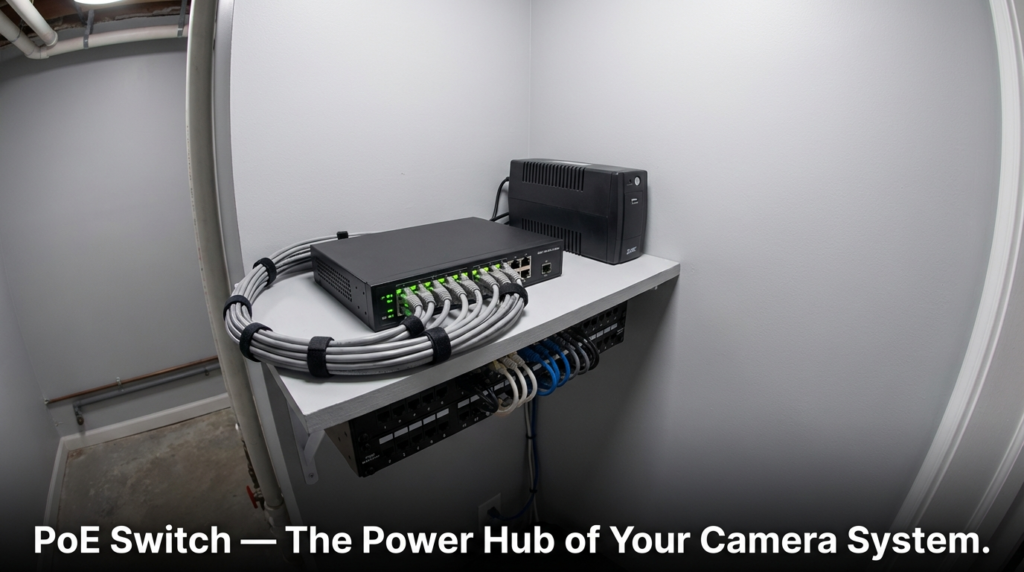
Your PoE switch is the backbone of the system. A few things to look for:
Total PoE power budget: A switch might have 8 PoE ports but only a 65W total power budget. If you connect four cameras drawing 15W each, you’ve already hit 60W — and you haven’t added a fifth camera yet. Always calculate your total camera wattage and compare it to the switch’s stated power budget, not just the number of ports.
Per-port power control: Better managed switches let you reboot individual camera ports from a web interface. This is useful when a camera locks up at 2am.
Unmanaged vs. managed: Unmanaged PoE switches work fine for simple setups — plug and play. Managed switches add VLAN support (useful for isolating cameras from your main network), port scheduling, and traffic monitoring. For anything beyond four cameras, a basic managed switch is worth it.
NVR with built-in PoE: Many network video recorders include PoE ports specifically for cameras. This simplifies wiring — cameras plug directly into the NVR — but limits flexibility if you want to expand later.
Planning the Physical Cable Runs
Camera placement determines cable run length, and cable run length affects both signal quality and PoE performance. The maximum distance for any PoE run is 100 meters (about 328 feet) — that’s the Ethernet standard, and PoE voltage drop makes it even more important to stay under that limit with higher-wattage devices.
A few practical notes from working through these setups:
Label everything before you pull cables. Once cables are in the wall, a label at both ends saves hours later. A simple label maker works fine.
Avoid bundling PoE cables with other high-heat cables. If your PoE++ cable runs near HVAC ducts or in a tight conduit with other cables, heat dissipation becomes a real concern. Spreading runs out where possible reduces the risk.
Use outdoor-rated cable for exterior runs. Standard indoor Cat6 will degrade quickly if it’s exposed to UV light or moisture. Direct burial or outdoor-rated cable is what you need for any run that exits the building envelope.
Conduit is worth the extra work. Running cable through conduit in finished walls lets you replace or upgrade cable later without tearing out drywall. For a security system you expect to use for ten or more years, this matters.
Setting Up the Network Side
Once cameras are physically connected and powered, you’ll configure them through the NVR interface or directly via IP address. A few things that improve long-term reliability:
Assign static IP addresses (or DHCP reservations) to each camera. If cameras pull random IPs after a reboot, your NVR may lose track of them.
Put cameras on a separate VLAN if your router supports it. This isolates camera traffic from your main devices and limits what a compromised camera could access on your network. Most security-focused home routers support basic VLAN configuration.
Enable motion detection at the camera level rather than relying entirely on NVR-side processing. Camera-side detection reduces the data your NVR has to process continuously.
Frequently Asked Questions
Can I use a PoE injector instead of a PoE switch? Yes. A PoE injector adds PoE capability to a single port on a non-PoE switch. It works fine for one or two cameras, but a dedicated PoE switch is more practical and cost-effective for larger installations.
Will PoE work with any Ethernet cable I already have in my walls? Only if it’s solid copper (not CCA) and meets the minimum spec for your PoE tier. Cat5e handles standard PoE and PoE+ fine. For PoE++ (Type 3 or 4), Cat6A is the right choice. Always verify conductor material before relying on existing cable for higher-wattage devices.
How do I know if my camera is PoE-compatible? Check the camera’s spec sheet for “802.3af,” “802.3at,” or “802.3bt” support. If the listing just says “PoE” without a standard, ask the manufacturer which IEEE spec it supports to confirm compatibility with your switch.
Does PoE affect camera performance or video quality? Power delivery and video quality are separate. PoE only affects what power the camera receives. Video quality depends on the camera’s sensor, compression codec, and network bandwidth — not the PoE standard.
Wrapping Up
PoE is one of the most practical ways to build a reliable home security camera system. Single cable runs, centralized power management, and the ability to remotely reboot cameras all make it easier to maintain over time. The setup isn’t complicated, but the details matter — especially around cable quality.
The CCA cable issue is the one I’d flag above everything else. It’s invisible from the outside, widely sold, and genuinely dangerous in a bundled wall run under PoE++ loads. Solid copper, rated for your PoE standard, is non-negotiable. Beyond that, size your switch’s power budget correctly, plan your runs before you pull cable, and isolate camera traffic on its own VLAN if your router supports it. Get those pieces right, and a PoE camera system will run reliably for years without much attention.