

I was staring at a half-finished quarterly performance report. The deadline was exactly three hours away. My email tab pinged. I clicked over out of sheer habit. It was a colleague asking where our standard vector logo files were stored on the shared drive. I quickly replied with the link. Two minutes later, another ping. “Thanks, found them, but which version should I use for a dark background?” I spent the next 45 minutes acting as a human search engine, pulling exact hex codes and dropping files into a fresh folder. I missed the report deadline by an hour. That afternoon, I realized my “open door” email policy was completely sabotaging my actual work.
As William Henry, I have spent the last five years working directly in Workplace & Career Intelligence. I analyze productivity systems, team communication workflows, and office dynamics for a living. Yet, here I was, falling into the exact same reactive trap I warn my corporate clients about daily. I decided to run a strict 30-day test on my own workflow. I switched from an always-open inbox to just two fixed response windows per day. I tracked every single delayed response in a spreadsheet to see if my silence caused a genuine business problem or just temporary discomfort for the sender.
Key Takeaways
- Checking email constantly fragments your attention and prevents deep, analytical work.
- Most “urgent” emails are actually manufactured crises resulting from a colleague’s temporary laziness.
- You can train your team to respect your response times without making a formal, obnoxious policy announcement.
- Setting up strict VIP routing rules prevents you from missing the rare, actual emergencies.
Destroying the “Zero Inbox” Myth
If you search for advice on managing email overload, you will find productivity bloggers telling you to set an “Out of Office” auto-responder whenever you need focus time. I strongly disagree with this approach. My controversial opinion is that constant auto-replies actually damage your internal reputation. They signal self-importance and train your team to ignore your messages entirely. You are just creating more inbox clutter for them to delete.
Another common piece of generic advice is to “check your email only once a day.” If you work in a highly collaborative corporate environment, a 24-hour response cycle will simply get you fired. You become a bottleneck. You need a middle ground that protects your focus time while keeping the operational gears turning.
My 30-Day Experiment: The Data Never Lies
Over my 30-day testing period, I closed my email tab completely upon booting up my computer. I only opened it at 10:30 AM and 3:30 PM. I gave myself exactly 25 minutes during each window to process, reply, or archive every message.
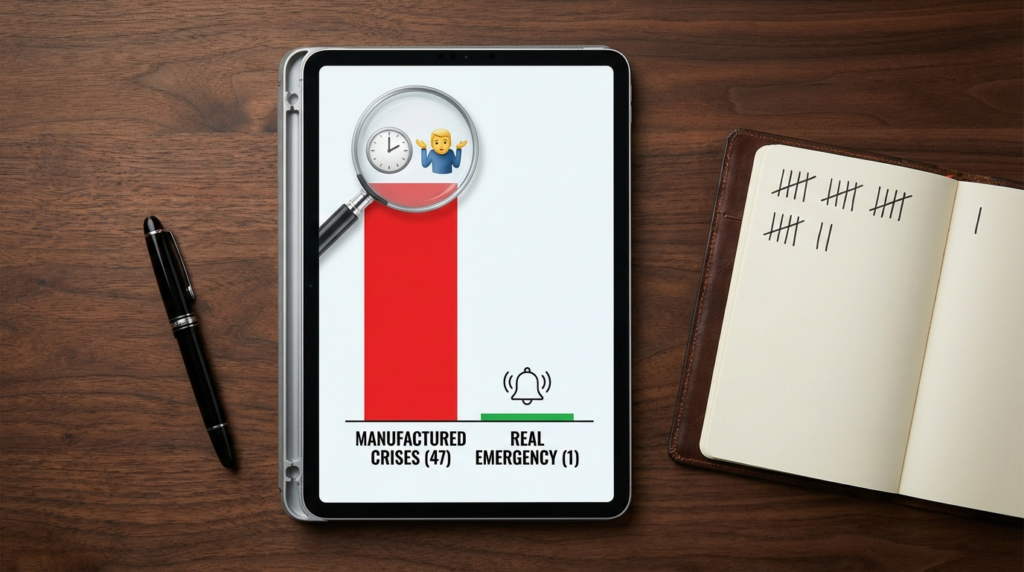
During this month, I logged 48 separate instances where my delayed reply caused a secondary message, a follow-up ping on Slack, or a mild complaint. Out of those 48 instances, exactly one was a real problem. The other 47 were illusions of urgency.
The One Real Emergency
The genuine problem happened on day 12 of my test. A critical vendor payment failed processing, and our accounting department needed my immediate sign-off on a secondary invoice to prevent an account suspension. They emailed me at 11:00 AM. Because of my strict blackout window, I did not see it until 3:30 PM. We caught the error just in time before the vendor locked our software access, but it caused my accounting counterpart severe, unnecessary stress. That was a failure of my system.
The 47 Manufactured Crises
The other 47 instances fell into three distinct buckets: lazy questions, CYA (Cover Your Assets) updates, and meeting logistics that resolved themselves.
On day 4, a junior designer emailed me at 9:15 AM marked “URGENT: Client Presentation Deck.” He could not find the master slide template. Because I did not reply immediately, he was forced to ask the person sitting next to him. By the time I opened my inbox at 10:30 AM, he had replied to his own thread saying, “Never mind, Sarah had it.” My deliberate silence actually forced him to be resourceful. If I had been available, I would have enabled his helplessness.
Here is exactly how the different approaches stack up based on my tracking.
| Email Management Method | Average Response Time | Colleague Annoyance Level | My Personal Verdict |
| Always-On (The Drip) | Under 5 Minutes | Non-existent | Terrible. Destroys personal focus and guarantees low-quality output on major projects. |
| Standard Auto-Reply Batching | 12 to 24 Hours | Extremely High | Unprofessional. Creates friction with management and slows down team momentum. |
| Silent Batching (My Method) | 2 to 4 Hours | Low to Moderate | The Winner. Protects core working hours while remaining accessible enough for daily operations. |
How I Communicated the Change (Without Being Obnoxious)
How do you implement a massive change in your availability without making a grand policy announcement? You just do it silently.
Announcing “I am only checking email twice a day now” sounds arrogant to your peers. People hate policy changes, but they adapt to behavioral patterns naturally. I just started delaying my replies. I trained my direct manager on my new rhythm without ever telling her I was running an experiment.
During the first week, she would email me at 1:00 PM and then send a direct message on Slack at 1:15 PM asking if I saw the email. I did not apologize. I would simply reply on Slack: “I am finishing up the quarterly analysis right now. I will review my inbox at 3:30 and get right on this.” I repeated this exact script for ten days. By week three, she completely stopped the follow-up Slacks. She learned my rhythm natively and began batching her own requests to me, sending me one longer email at 3:00 PM instead of four separate emails throughout the afternoon.
The Exact VIP Setup I Use Now
To prevent that single vendor payment emergency from ever happening again, I had to refine my system. I needed a way to block the noise but let the actual sirens through. I used my email client’s internal routing rules to create a bypass.
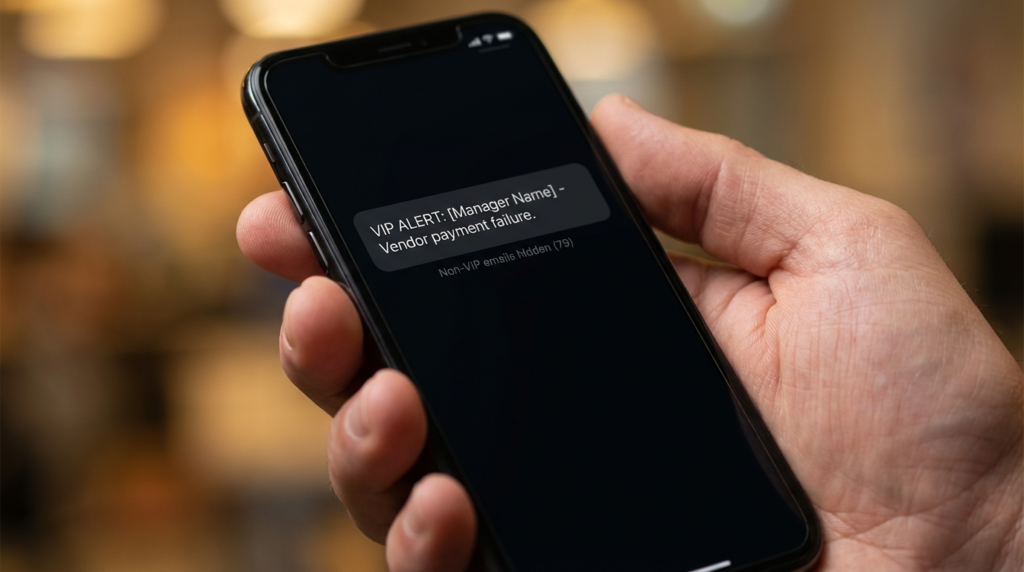
I use Gmail for my corporate account. I did not turn on desktop notifications. Instead, I set up a highly specific VIP alert system.
- I went to Settings and created a new Filter.
- In the “From” field, I added the specific email addresses of my direct manager, the CEO, and the head of accounting.
- In the “Includes the words” field, I added specific crisis triggers: “vendor suspension”, “client escalation”, and “final approval”.
- I routed these specific emails to trigger a push notification on my physical phone.
Everything else bypasses my phone completely and waits silently in the desktop inbox for my 10:30 AM or 3:30 PM window. I process roughly 80 emails a day. This setup saves me exactly two hours of context-switching time every single day. I am doing better work, and my team still gets what they need.
FAQs
What if my boss expects immediate replies?
You must clearly separate the communication medium from the urgency. Tell your boss directly that you monitor Slack or text messages for immediate emergencies, but you use email for non-urgent project documentation.
How do I handle clients in completely different time zones?
Adjust your two check-in windows to overlap with their operating hours. If you are in New York and the client is in London, make your first window 8:30 AM to catch the end of their day, and your second window 4:30 PM to clear your desk before tomorrow.
Should I put my checking times in my email signature?
No. Adding “I check email at 10 AM and 3 PM” to your signature comes across as rigid and self-important. Control expectations through your actual behavior and response rhythm, not through a declared mandate.
What if my job is entirely customer support or sales?
This system is designed for knowledge workers who build, write, or analyze. If your primary job description is rapid response to external leads or technical tickets, you cannot batch email. Your inbox is your actual work, not a distraction from it.
My Recommendation
Stop treating your inbox like a live chat room. Turn off every single desktop and mobile notification for your standard email client immediately. Set up a VIP filter rule for your direct superiors and major clients, pushing only those specific messages to your phone. Commit to opening your inbox only twice a day for a strict 25-minute sprint. You will likely experience severe anxiety for the first three days as you worry about what you are missing. Push through that initial discomfort. By day seven, you will realize that the world continues spinning just fine without your instant input, and you will have reclaimed the mental space required to do your actual job.