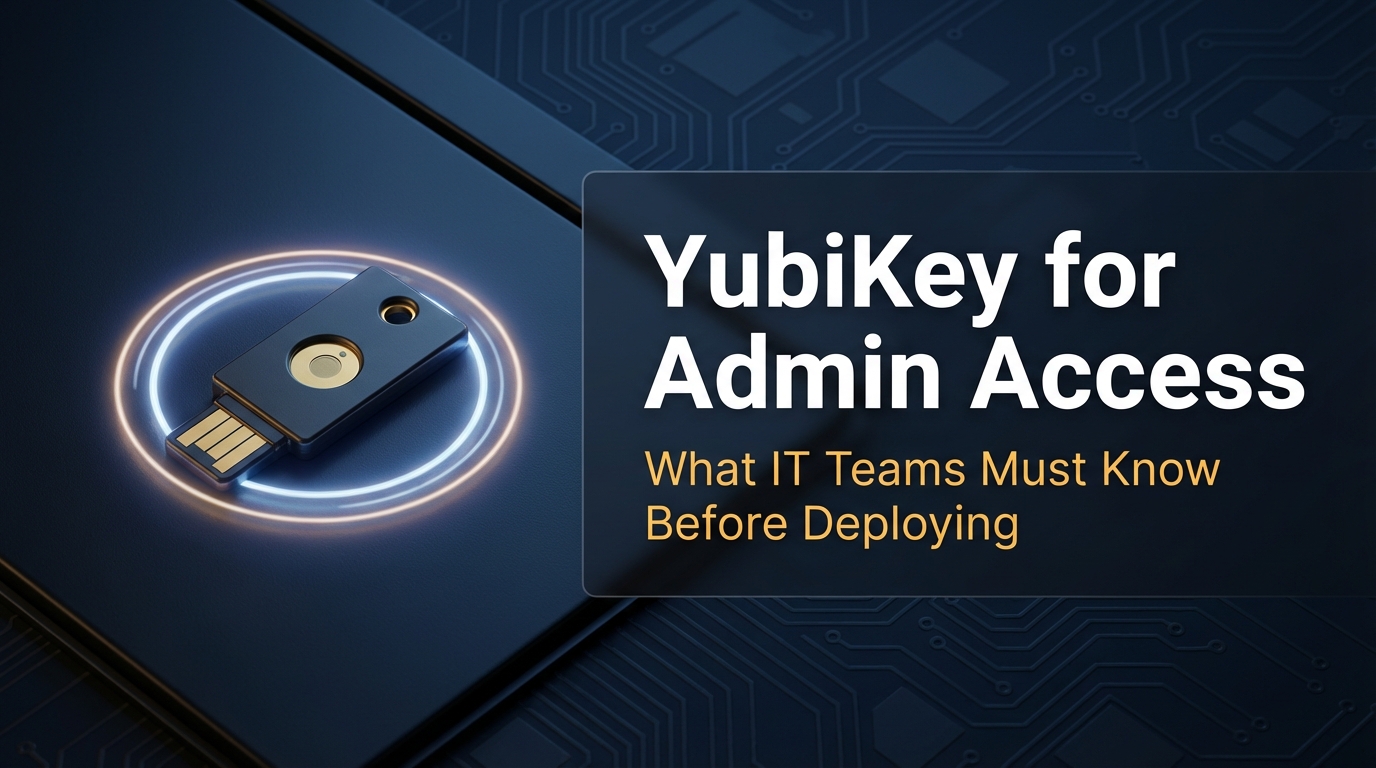
If you manage admin accounts, you already know that passwords alone aren’t enough. A compromised admin credential can bring down an entire network. Hardware security keys like YubiKey have become a serious option for organizations that want stronger authentication — but they come with real operational challenges that don’t get talked about enough.
I’ve been exploring and writing about office network infrastructure for years now. Through that work, Donna Parker has covered everything from access control systems to endpoint security policies, and hardware keys are one of those topics where the gap between “sounds simple” and “actually deploying this” can be surprisingly wide. The lost-key scenario alone has caused enough headaches in real IT environments to deserve a full breakdown before you commit.
What a Hardware Security Key Actually Does
A hardware security key is a small physical device — usually USB or NFC — that stores a cryptographic credential. When you log into an account, the key generates a response using that credential. No credential ever leaves the device. This is fundamentally different from SMS or an authenticator app, where the code travels over a network or lives inside software.
The standard behind this is FIDO2 and WebAuthn. According to the FIDO Alliance’s FIDO2 specifications, this protocol was designed to eliminate phishing by tying authentication to the origin domain. If an attacker tricks you into visiting a fake login page, the key simply won’t respond — because the domain doesn’t match.
That’s the core strength. But it’s also where many IT teams stop reading, and that’s where problems start.
SMS 2FA vs. Authenticator App vs. Hardware Key
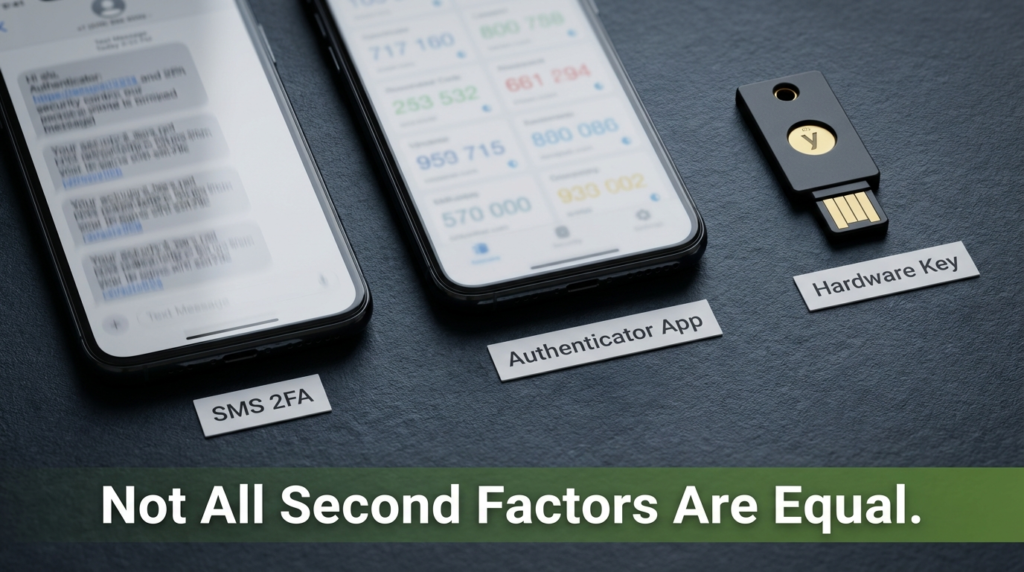
Not all second factors are equal. Here’s a direct comparison across the three most common methods:
| Feature | SMS 2FA | Authenticator App | Hardware Key |
|---|---|---|---|
| Phishing resistant | No | No | Yes |
| SIM swap vulnerable | Yes | No | No |
| Works offline | No | Yes | Yes |
| Requires physical device | No | Smartphone | Yes |
| Recovery if lost | New SIM/number | Backup codes | Backup key needed |
| Mobile compatibility | All devices | All devices | NFC or adapter required |
| Cost | Free | Free | $25–$70+ per key |
| Account lockout risk | Low | Medium | High (if no backup) |
SMS is the weakest option. A SIM swap attack — where a criminal convinces your carrier to transfer your number — completely bypasses it. Authenticator apps are significantly better, but the code still gets typed into a browser, which means a sophisticated phishing kit can intercept it in real time. Hardware keys eliminate that attack path entirely.
For admin accounts specifically, the difference matters. Admin credentials are the highest-value target on any network. Using SMS 2FA to protect them is like installing a heavy-duty deadbolt but leaving a window unlocked.
The Lockout Problem Nobody Prepares For

Here’s the thing that doesn’t make it into the product brochures: if you register only one hardware key and lose it, you can be permanently locked out of your account. Not “call support and verify your identity” locked out. Permanently.
This is the most documented real-world failure point in hardware key deployments. The FIDO2 standard doesn’t include a built-in account recovery mechanism — that’s intentional, because any recovery path is also a potential attack path. But it puts the full responsibility for backup planning on the admin team.
What actually happens in practice:
- An IT admin registers a single YubiKey to a critical service account
- The key is lost, damaged, or gets left at home during an incident response situation
- The account has no backup key registered and no recovery codes saved
- The organization is locked out of that account until the platform’s own support process (which can take days) resolves it — if it can be resolved at all
Some platforms give you one-time recovery codes during setup. Others don’t. And even when they do, those codes often get saved to a location nobody can find six months later.
How to Deploy Hardware Keys Without Creating a Lockout Risk
The lockout problem is solvable. It just requires following a clear process before you hand anyone a key.
Register a minimum of two keys per account. This is the single most important rule. YubiKey and most FIDO2 platforms support multiple registered keys per account. Keep one as the primary and store the second in a secure physical location — a locked cabinet, a safe, or with a trusted secondary admin.
Save recovery codes immediately during setup. If the platform generates them, treat them like a private key. Store them in a password manager with restricted access, and also keep an offline printed copy in a physically secured location.
Document which key belongs to which account. When you have multiple admins with multiple keys, tracking becomes an operational necessity. A simple internal spreadsheet with key serial numbers, assigned users, and registered accounts goes a long way.
Test your backup key before you need it. Register the backup, then intentionally use it to log in. Confirm it works. This takes five minutes and eliminates the worst-case scenario.
Establish a formal key offboarding process. When someone leaves, their registered keys need to be removed from every account before their last day. This is easy to forget and creates a real security gap.
NFC vs. USB-A vs. USB-C: The Hardware Compatibility Problem
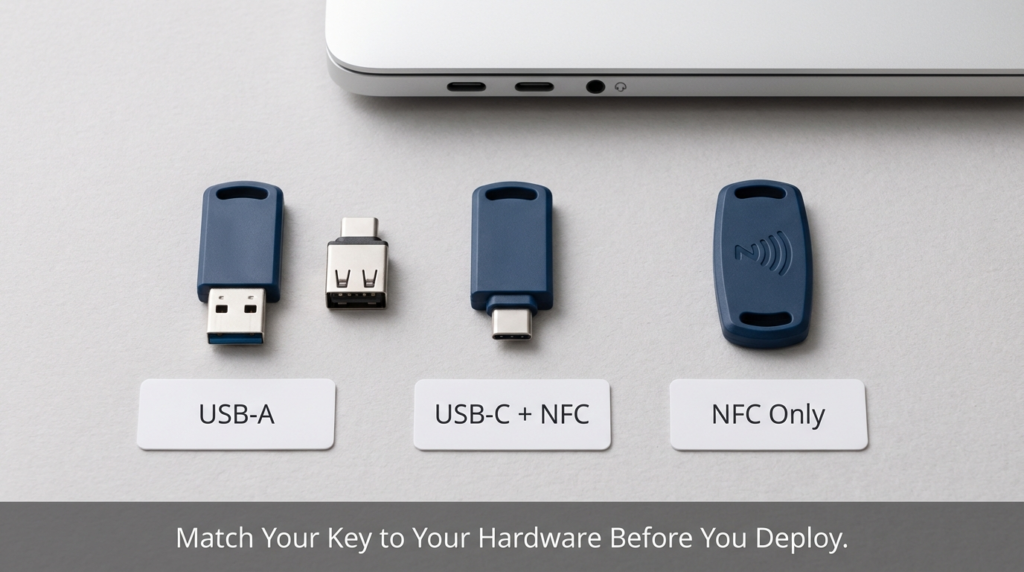
YubiKey comes in several physical formats, and the choice matters more than most guides acknowledge.
USB-A keys are the most common and have the widest software support. But USB-A ports are disappearing from laptops. A modern MacBook or recent Windows laptop often has only USB-C ports. That means your admin pulls out a YubiKey 5 NFC with a USB-A connector and it simply doesn’t fit — in the middle of an incident, this is a real problem.
NFC-enabled keys solve the mobile side. An NFC YubiKey can authenticate on an iPhone or Android device by tapping the key to the phone. This works well for accounts accessed via mobile browser or apps that support WebAuthn. But NFC doesn’t help you when you’re sitting at a desktop or a laptop without NFC capability.
The practical options:
| Key Type | Desktop/Laptop | Modern USB-C Laptop | Mobile (NFC) |
|---|---|---|---|
| USB-A | Yes | Needs adapter | No |
| USB-C | With adapter | Yes | No |
| USB-A + NFC | Yes | Needs adapter | Yes |
| USB-C + NFC | With adapter | Yes | Yes |
Buying a USB-C + NFC version upfront covers the most scenarios. If budget requires USB-A keys, keep a USB-A to USB-C adapter physically attached to each key. This sounds minor until someone can’t log in because they don’t have an adapter at 2am during a server issue.
Which Accounts Should Actually Use Hardware Keys
Not every account in your organization needs a hardware key. Prioritize by access level.
Admin and privileged accounts are the obvious first target. Any account with the ability to modify user permissions, access billing, or change security settings should have hardware key authentication enforced. These are the accounts attackers go after first, and they’re also the ones where a successful breach causes the most damage.
Service accounts with console access are often overlooked. If a service account can be used to log into a management console, it should be treated the same as a human admin account.
Developer accounts with production access deserve the same treatment. A developer with the ability to push to production or access production databases has essentially admin-level blast radius. Hardware keys make sense here even if the title doesn’t say “administrator.”
Regular employee accounts are a judgment call. Hardware keys add friction to daily login. For most employees, an authenticator app is a reasonable balance between security and usability. Mandating hardware keys organization-wide increases cost and support burden without proportional security gain for lower-privilege accounts.
Frequently Asked Questions
What happens if I lose my only registered YubiKey? If you have no backup key and no recovery codes, account recovery depends entirely on the platform. Some services have an identity verification process that can take several business days. Others have no recovery path at all. This is why registering a second key before you need it is non-negotiable.
Can a YubiKey be cloned or copied? No. The private key stored on a FIDO2 hardware key cannot be exported or copied. This is by design. If the physical key is stolen, the attacker still needs your PIN (for keys configured with one) to use it.
Do hardware keys work with all websites and services? No. The service must support FIDO2/WebAuthn authentication. Major platforms like Google, Microsoft, GitHub, Okta, and Cloudflare support it. Smaller or older platforms may only support SMS or TOTP-based 2FA. Before purchasing keys for your team, verify which services you actually need to protect and whether they support hardware key authentication.
What’s the difference between FIDO2 and U2F? U2F (Universal 2nd Factor) was an older standard that worked as a second factor alongside a password. FIDO2 extends this to support passwordless login where the key is the only authentication factor. Modern YubiKeys support both, so they work with older U2F-only services and newer FIDO2-enabled platforms.
Wrapping Up
Hardware keys are one of the strongest authentication options available for admin accounts. The phishing resistance alone makes them worth serious consideration for any organization that has privileged accounts worth protecting — which is every organization.
But the deployment details matter as much as the security benefits. A single registered key with no backup plan is a lockout waiting to happen. USB format mismatches are a real operational headache, especially in organizations migrating to USB-C hardware. And not every account needs this level of friction — targeting hardware keys at admin and high-privilege accounts gives you most of the security benefit without overwhelming your support team.
Register two keys, save your recovery codes, test your backup before you need it, and match your key format to your actual hardware. That’s the difference between a security upgrade that works and one that creates its own crisis.