If you’ve ever plugged a desktop PC into a cheap UPS and watched it cut off the moment the power failed — even though the UPS was fully charged — you’ve already experienced one of the most frustrating and least talked-about incompatibilities in home and office computing. It’s not a defective UPS. It’s not a broken power supply. It’s a waveform mismatch, and it happens more than most people realize.
I’ve been writing about office network infrastructure and power systems for years, and this particular issue is one I keep coming back to because it catches so many people off guard. Most buyers see “UPS” on a product listing, check the wattage, confirm it fits their budget, and move on. The waveform question never even comes up — until something goes wrong.
What a UPS Actually Outputs When Power Fails
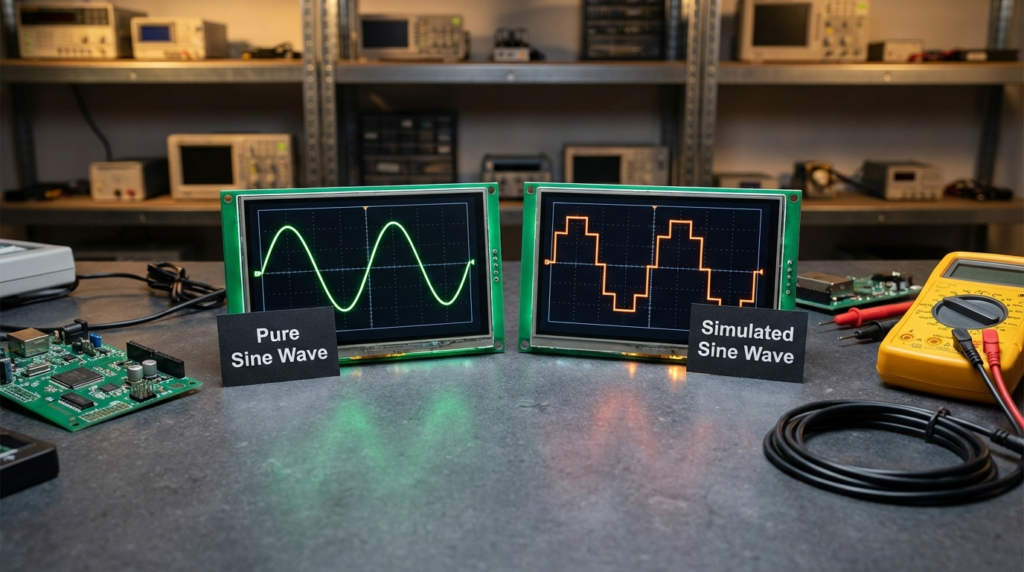
A UPS doesn’t just store energy. When utility power drops, it switches to battery and starts generating AC power from that stored DC. How it generates that AC is where everything matters.
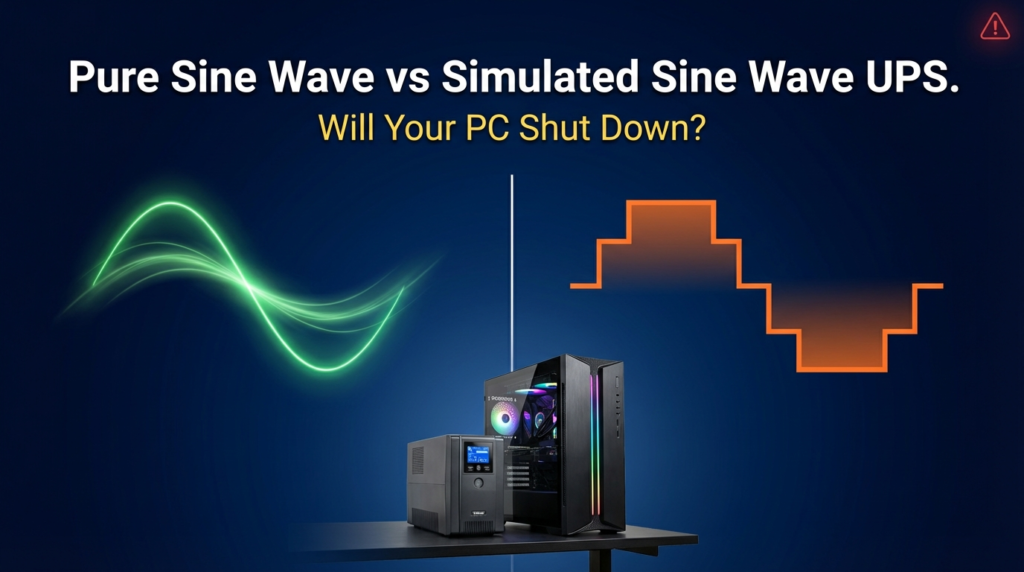
A true or pure sine wave UPS produces a smooth, continuously curved waveform — essentially what your wall outlet delivers. A simulated sine wave UPS (also called a modified or stepped sine wave) generates a blocky, staircase-shaped approximation of that curve. It’s cheaper to manufacture and works fine for basic resistive loads like lamps or older motor-based devices. For a long time, it was perfectly adequate for most consumer electronics.
The problem is that modern PC components no longer fall into that “basic” category.
Active PFC: Why It Changes Everything
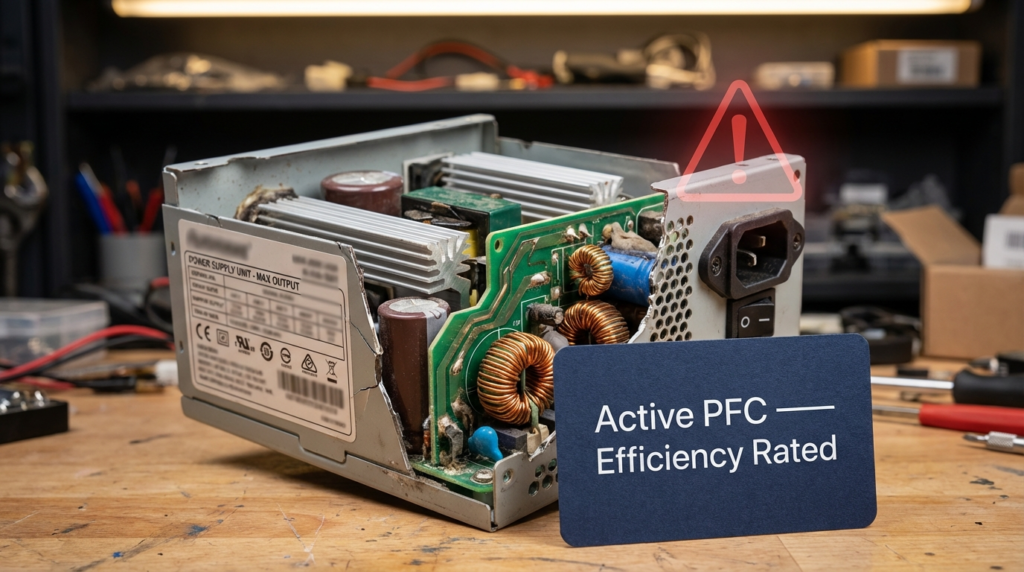
Here’s the core issue. Most desktop power supplies made in roughly the past decade include Active Power Factor Correction (Active PFC). This is a circuit designed to improve efficiency and reduce the harmonic distortion the PSU draws from the wall. Energy Star and 80 Plus certification requirements have pushed Active PFC into nearly every efficiency-rated power supply on the market.
The catch: Active PFC circuits are specifically designed to detect and respond to the shape of the incoming waveform. When they receive a smooth sine wave, they synchronize properly and operate normally. When they receive the choppy, stepped output of a simulated sine wave UPS, many of them interpret it as an out-of-tolerance or faulty power condition — and they shut down immediately to protect the system.
This isn’t a bug in the PSU. It’s doing exactly what it was designed to do. The problem is the UPS is feeding it something it wasn’t designed to accept.
Energy Star’s UPS specification (version 2.0) acknowledges this directly under its Key Product Criteria, noting that output waveform compatibility with connected loads is a relevant consideration in UPS selection. The specification is publicly available at energystar.gov UPS Key Product Criteria.
The Compatibility Gap Nobody Warns You About
The frustrating part is that neither the PSU manufacturer nor the UPS manufacturer typically warns buyers about this on the product page. They’re each making a product that meets its own specs. The incompatibility only shows up when you combine them.
Here’s how the two main PSU topologies behave with different UPS output types:
| PSU Type | Pure Sine Wave UPS | Simulated Sine Wave UPS |
|---|---|---|
| Active PFC (modern, efficiency-rated) | Works correctly | May shut down immediately on battery |
| Passive PFC (older design) | Works correctly | Generally works fine |
| No PFC (very old or basic PSU) | Works correctly | Usually works fine |
If your PC has an 80 Plus Bronze, Silver, Gold, Platinum, or Titanium rated power supply — which most systems sold in the last several years do — it almost certainly has Active PFC. Pairing it with a simulated sine wave UPS is a gamble. Some combinations work. Many don’t.
UPS Topology Matters Too — And It Affects More Than Waveform
The waveform is one dimension of UPS compatibility. The other is the internal topology of the UPS itself, which also determines noise, heat, and how it behaves day-to-day.
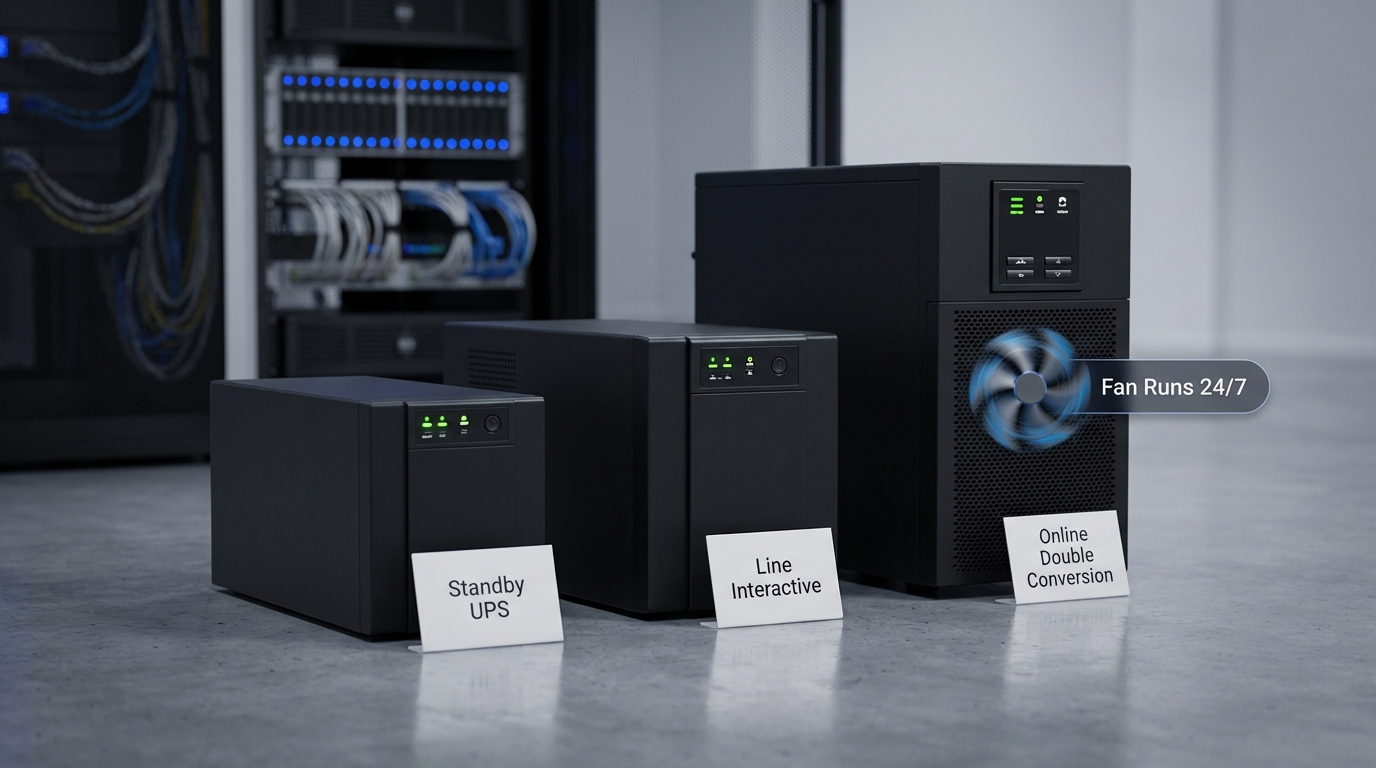
Line Interactive UPS units are the most common type in home and small office settings. Under normal conditions, they pass utility power through directly (with some voltage regulation) and only switch to inverter mode when power fails. They’re quiet during normal operation. Most users will never hear one unless the power actually goes out.
Online Double Conversion UPS units work differently. They continuously convert incoming AC to DC and then back to AC, which means the connected devices are always running off the UPS inverter — never directly from the wall. This gives you better power conditioning and zero transfer time during an outage. The downside: the inverter runs constantly, and so do the cooling fans. These units are audibly noticeable 24 hours a day. In a home office or bedroom setup, that constant fan noise is worth factoring in before buying.
| UPS Topology | Waveform Output | Fan Noise | Transfer Time | Best For |
|---|---|---|---|---|
| Offline / Standby | Usually simulated | Silent until failure | 4–10ms typically | Basic, non-PFC loads |
| Line Interactive | Depends on model | Silent until failure | 2–4ms typically | Home and small office |
| Online Double Conversion | Pure sine wave | Constant fan noise | Zero (no transfer) | Servers, sensitive equipment |
One thing worth noting: online double conversion units almost universally output pure sine wave. So if you’re buying in that category, the waveform incompatibility generally isn’t a concern. It’s primarily an issue in the cheaper line interactive and standby segments, where manufacturers cut costs by using a simulated waveform.
Real-World Example: When This Goes Wrong
A colleague of mine set up a home office workstation a few years back. She bought a mid-range UPS — well-reviewed, properly sized for her system’s wattage — without checking the waveform spec. During the first power flicker, her PC turned off instantly. Not gracefully. Off. She assumed the UPS was broken, returned it, bought an identical replacement, and it happened again.
The PSU in her workstation was a well-regarded 80 Plus Gold unit with Active PFC. The UPS was outputting a stepped sine wave. The combination was never going to work regardless of brand or price within that UPS category. Once she switched to a line interactive UPS that specified pure sine wave output, the problem was gone.
That kind of situation — buying two units, spending time on returns, losing work to sudden shutdowns — is completely avoidable if you know what to look for before purchasing.
How to Check Before You Buy
Before pairing a UPS with any modern desktop PC, check two things:
On the PSU side: Look up your power supply model and confirm whether it uses Active PFC. If it’s 80 Plus rated, assume Active PFC unless the spec sheet says otherwise.
On the UPS side: Find the “output waveform” or “waveform type” in the product specs. You’re looking for “pure sine wave” or “true sine wave.” If the listing says “simulated sine wave,” “modified sine wave,” or “stepped approximation” — and your PSU has Active PFC — don’t buy that UPS for that system.
Some UPS manufacturers now include Active PFC compatibility notes in their specs. That’s helpful, but not universal. When in doubt, contact the UPS manufacturer directly with your PSU model before purchasing.
Frequently Asked Questions
Will a simulated sine wave UPS damage my PC if it doesn’t shut it down? Not necessarily immediately, but running Active PFC hardware on an incompatible waveform over time can increase stress on internal components. The shutdown behavior is actually the PSU protecting itself. Silent compatibility isn’t the same as safe compatibility.
Does every 80 Plus certified power supply have Active PFC? Nearly all of them do. 80 Plus efficiency standards are easiest to meet with Active PFC, and manufacturers building to those specs almost always include it. Check your specific model’s datasheet to be certain.
Is online double conversion always better than line interactive? Not for every use case. Online double conversion gives you zero transfer time and constant power conditioning, but the continuous fan noise and higher energy consumption make it a poor fit for quiet environments. Line interactive with pure sine wave output is the right balance for most home and small office setups.
Can I use a simulated sine wave UPS for anything in my office? Yes. Monitors, network switches, routers, printers, and other devices without Active PFC typically work fine on simulated sine wave. The incompatibility is specific to modern, efficiency-rated PC power supplies with Active PFC circuits.
What This Means When You’re Building or Buying
The takeaway here isn’t that simulated sine wave UPS units are bad products. They serve a real purpose for the right load types. The issue is that the market hasn’t done a great job communicating which loads they’re suitable for — and “desktop PC” has gradually moved out of that category as Active PFC became standard.
If you’re setting up or upgrading a workstation, a small business server, or any system with a modern efficiency-rated power supply, the waveform spec on your UPS should be the first thing you check — not an afterthought. A line interactive UPS with pure sine wave output hits the right balance for most office environments: quiet during normal operation, compatible with Active PFC, and capable of providing enough runtime to shut down gracefully during an extended outage.
The price difference between simulated and pure sine wave UPS units has narrowed considerably as the technology has matured. Paying a bit more upfront to get a compatible unit is far less costly than dealing with sudden shutdowns, data loss, or unnecessary returns.
If you’re running a quieter, noise-sensitive space and need maximum power conditioning, online double conversion is worth considering — just go in knowing the fans will run around the clock. For most people, that trade-off isn’t worth it unless the equipment demands it.
Understanding your PSU topology, confirming your UPS waveform, and matching the two correctly isn’t complicated once you know what to look for. It’s just a step that most buying guides skip — and one that’s worth getting right the first time.