There’s a quiet irony sitting behind your desk right now. That smart plug you installed to cut down on wasted electricity? It might be the one wasting it.
I’ve been writing about office network infrastructure for a few years now, and this particular problem keeps coming up — not in product manuals, not in marketing copy, but in the real-world setups I’ve had the chance to dig into. Donna Parker here, and over the years of covering how offices actually consume power versus how they think they do, this “vampire power” trap with smart plugs has become one of my favorite examples of a well-intentioned solution that backfires when nobody does the math first.
What “Vampire Power” Actually Means in an Office Context
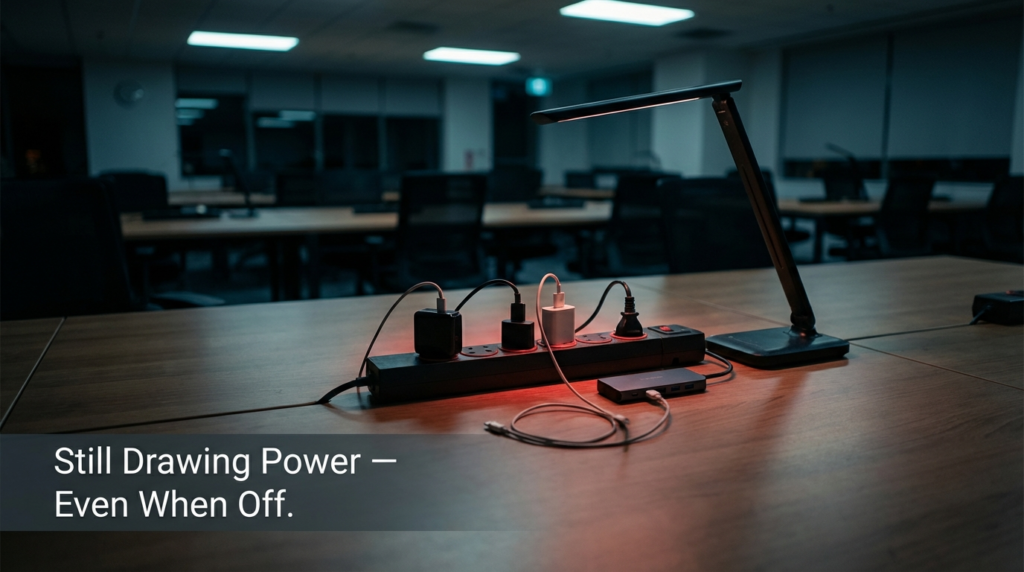
Vampire power — sometimes called standby power or phantom load — is the electricity a device draws just by being plugged in, even when it’s not actively doing anything. In a regular office, the usual culprits are monitors left in sleep mode, chargers with nothing attached, and desktop computers set to “sleep” that never quite shut off.
Smart plugs were sold as the fix. The idea is simple: schedule your devices to cut power after hours, monitor consumption through an app, and watch your energy bill drop. That logic holds up — but only when the plug itself consumes less power than the device it’s controlling.
Here’s where it breaks down.
The Wi-Fi Chip Problem Nobody Mentions
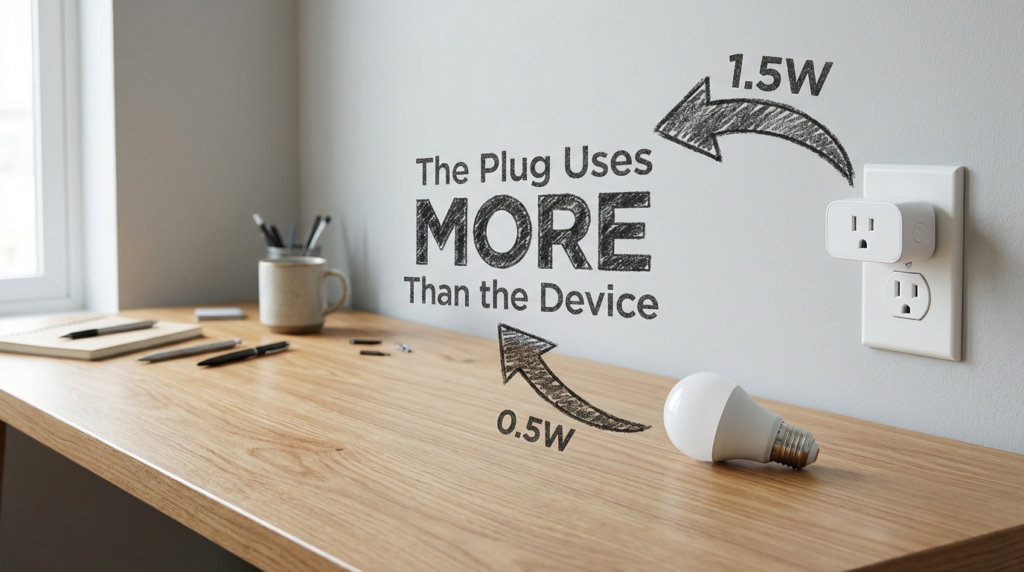
A standard Wi-Fi smart plug draws between 1 and 2 watts continuously just to stay connected to your network. That’s the power cost of keeping the Wi-Fi radio alive, maintaining cloud connectivity, and staying responsive to app commands. This isn’t a flaw — it’s just how Wi-Fi works.
The standby power data from the U.S. Department of Energy makes it clear: standby consumption is a real and measurable cost, not a rounding error. When you start comparing that baseline draw against the devices these plugs are meant to manage, the numbers get uncomfortable fast.
A typical office desk lamp using an LED bulb draws roughly 0.5W when “off” but still plugged in. If you install a 1.5W Wi-Fi smart plug to eliminate that 0.5W phantom load, you’ve tripled the wasted energy instead of cutting it.
This isn’t a corner case. It happens regularly when people install smart plugs on:
- LED desk lamps with low standby draw
- Phone chargers with nothing plugged in
- Small USB hubs
- Laptop power bricks when the laptop is already off
The plug consumes more just watching for a command than the device does sitting idle.
The Break-Even Math: When Does a Smart Plug Actually Pay Off?
Let’s run the numbers on a typical office scenario. A standard Wi-Fi smart plug costs around $15. It draws roughly 1.5W continuously.
| Factor | Numbers |
|---|---|
| Smart plug purchase cost | $15 |
| Smart plug standby draw | 1.5W continuous |
| Annual plug energy use (24/7) | ~13 kWh/year |
| Average U.S. office electricity rate | ~$0.12/kWh |
| Annual cost just to run the plug | ~$1.56/year |
| Break-even on purchase price alone | ~9.6 years |
That break-even only works if the plug is actually saving energy elsewhere — meaning it must be controlling a device with a higher idle draw than 1.5W. If the controlled device draws less than that in standby, the plug never breaks even. You pay the purchase cost and you pay more in electricity every single year.
For the plug to make financial sense, it needs to be cutting power to something with a real load: a desktop PC left on overnight, a space heater someone forgot, a monitor that pulls 15-20W in sleep mode. Those are legitimate targets.
Matter and Thread Plugs: The Low-Power Alternative
The protocol your smart plug uses matters more than most buyers realize. Wi-Fi plugs are the most common because they’re easy to set up — they connect directly to your existing router. But that convenience has a power cost.
Matter and Thread-based smart plugs operate on a mesh network designed specifically for low-power smart home and office devices. Thread devices can run on much lower standby power than Wi-Fi because the radio protocol is built for efficiency, not bandwidth.
| Protocol | Standby Power Draw | Network Requirement | Best Use Case |
|---|---|---|---|
| Wi-Fi | 1–2W | Direct router connection | High-power device control |
| Zigbee | 0.1–0.5W | Requires hub | Large deployments |
| Z-Wave | 0.1–0.5W | Requires hub | Range-sensitive setups |
| Thread/Matter | Very low (sub-0.5W range) | Requires Thread border router | Future-proof low-power setups |
| Bluetooth | Low | Direct or hub | Short-range, limited use |
If your office already has a Thread border router — which comes built into some smart home hubs and newer Apple TV or HomePod devices — switching to Matter/Thread plugs significantly changes the standby cost equation. The plug consumes far less just staying connected, which means it can make sense even on lower-draw devices.
The tradeoff is setup complexity and upfront investment in compatible infrastructure. For a single office, Wi-Fi plugs are simpler. For a network of 20+ devices across a floor, Thread starts to make a lot more sense.
Choosing the Right Devices to Put Behind a Smart Plug
This is where most buying guides skip the most useful part. The decision isn’t just “which smart plug should I buy” — it’s “which devices in my office actually warrant one.”
Devices worth controlling with a smart plug:
A desktop workstation that pulls 80-150W when active and still draws 5-20W in sleep mode is a strong candidate. The plug’s 1.5W draw is negligible compared to the savings from a full overnight power cut. Same logic applies to multi-monitor setups, older network switches left running after hours, and shared office printers that idle at 10-15W.
Devices where a smart plug makes no sense:
Modern LED desk lamps, phone chargers, laptop bricks, and small USB accessories often draw less than 1W in standby. Adding a Wi-Fi smart plug to these devices adds cost and energy use, not savings.
A practical check: if you can’t measure the device’s standby draw with a kill-a-watt meter and confirm it’s above 2W, don’t assume a smart plug will help.
Real Office Case Example
A small 12-person marketing office I came across while researching infrastructure setups had installed Wi-Fi smart plugs on every desk — 12 plugs total, one per workstation. The goal was to cut overnight energy waste.
The workstations themselves were modern laptops that consumed almost nothing in sleep. The plugs drew 1.5W each, all 12 of them, continuously — that’s 18W running nonstop, 24 hours a day, seven days a week, just to manage devices that barely consumed anything overnight. Their electricity bill from the plugs alone added up to more than what the laptops were using during off-hours.
The fix was straightforward: remove the plugs from laptop setups, keep them on the two desktop towers and the large office printer, and switch those three remaining plugs to Zigbee-based devices connected to an existing hub. Problem solved, actual savings achieved.
How to Audit Your Own Smart Plug Setup
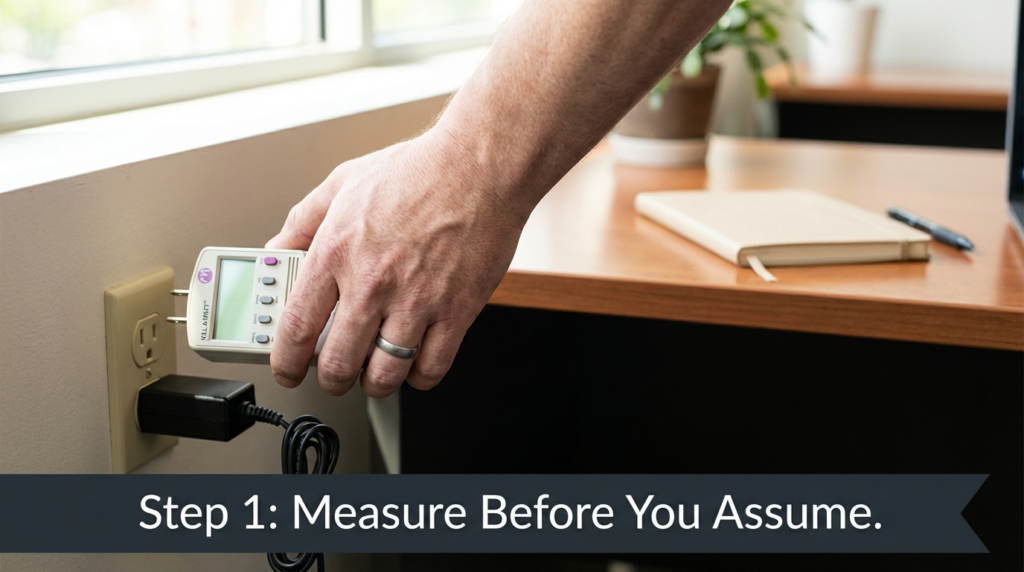
If you already have smart plugs installed, this process takes about 20 minutes and tells you whether they’re helping or hurting.
- Get a basic plug-in energy monitor (kill-a-watt meters are inexpensive and accurate). Plug your device in through the meter without the smart plug to measure true standby draw.
- Note that figure. If it’s below 2W, a Wi-Fi smart plug will not save you energy — it will cost you more.
- Check your smart plug’s specs. Most Wi-Fi models list power consumption somewhere in the manual or product page. If it’s not listed, 1.5W is a reasonable working estimate.
- Run the simple math: standby draw of controlled device minus smart plug draw. If the result is negative or close to zero, the plug is a net cost.
- For devices with draws above 5W in standby, a smart plug with scheduling makes clear sense.
FAQs
Does a smart plug use electricity when the connected device is off? Yes. The plug itself runs continuously to maintain its Wi-Fi or wireless connection. That draw — typically 1–2W for Wi-Fi plugs — happens regardless of what the controlled device is doing.
Are smart plugs worth it for office computers? It depends on the computer. Older desktops with high idle draws benefit from scheduled cut-offs. Modern laptops with low standby consumption often don’t — the plug may cost more energy than it saves.
What’s the difference between Matter plugs and regular Wi-Fi smart plugs for energy use? Matter plugs using Thread protocol are designed for significantly lower standby power than Wi-Fi plugs. They’re a better fit for scenarios where the controlled device has a modest idle draw, since the plug’s own consumption is much lower.
How do I know if my smart plug is saving or wasting energy? Measure your device’s standby draw with a kill-a-watt meter. If that draw is lower than your plug’s standby consumption, the plug is a net energy cost. If it’s higher — especially well above 2W — the plug saves energy when it cuts power on a schedule.
The Takeaway
Smart plugs work well in the right applications. They’re genuinely useful for high-draw devices with predictable usage patterns — desktop towers, shared printers, monitors, space heaters. For those, scheduled cut-offs and remote control make real sense.
But the assumption that more smart plugs always means less energy use is wrong. Wi-Fi chips need power to stay connected. If the device you’re managing draws less than that chip, you’ve created the problem you were trying to solve. Moving to Thread or Matter-based plugs narrows that gap significantly, but the underlying logic stays the same: the plug only saves energy if the device it controls was wasting more than the plug itself consumes.
Check your standby draws. Be specific about which devices actually need control. And if the math doesn’t work out, the smartest option is sometimes no smart plug at all.