
If you’ve ever spent a weekend setting up a NAS, carefully picking drives, configuring RAID, and then watched the whole thing crawl to a halt during a rebuild — you already know something went wrong. What you might not know is that the culprit could be hiding right in the product name. SMR drives have been quietly slipping into NAS builds for years, often marketed in ways that don’t make the recording technology obvious. The consequences range from sluggish performance to catastrophic RAID failures.
I’ve been writing about office network infrastructure for a while now, and the SMR confusion is one of those topics that keeps coming up — not because people are careless, but because drive manufacturers haven’t exactly made it easy to tell the difference. I’ve seen setups where everything looked right on paper — the right brand, the right capacity, even “NAS” on the label — and the drives still caused headaches that took weeks to diagnose.
What SMR and CMR Actually Mean
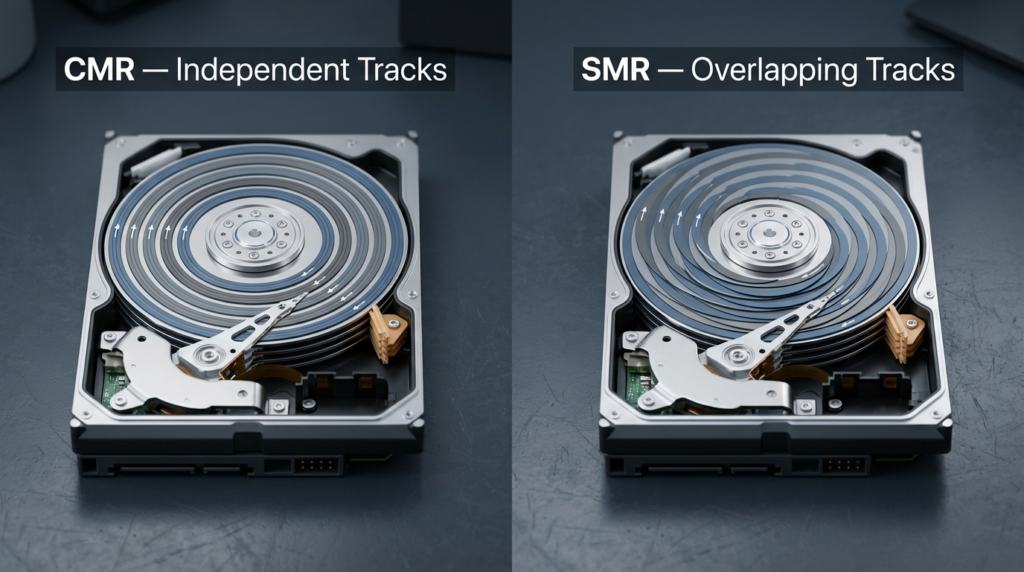
Hard drives write data using magnetic tracks. In CMR (Conventional Magnetic Recording), tracks are laid side by side with gaps between them. Each track can be rewritten independently without touching its neighbors.
SMR (Shingled Magnetic Recording) overlaps those tracks like roof shingles. This lets manufacturers pack more data onto the same physical disk — great for storage density and cost. The problem is that rewriting a single track means rewriting every track layered on top of it too. This ripple effect is manageable when you’re just writing new data sequentially, but it becomes a serious issue during random writes or — worst of all — RAID rebuilds.
| Feature | CMR | SMR |
|---|---|---|
| Write method | Independent tracks | Overlapping (shingled) tracks |
| Random write speed | Consistent | Slows significantly under load |
| RAID rebuild behavior | Predictable, steady | Can take weeks; unstable |
| NAS suitability | Yes | Generally no |
| Cost per TB | Higher | Lower |
| Best use case | NAS, servers, RAID arrays | Cold storage, archiving, backups |
The cost difference is real. SMR drives are cheaper to manufacture, and that savings gets passed to the consumer. That makes them tempting — until your RAID array starts a rebuild and your NAS becomes unusable for days.
Why SMR Drives Are a Problem in RAID and ZFS
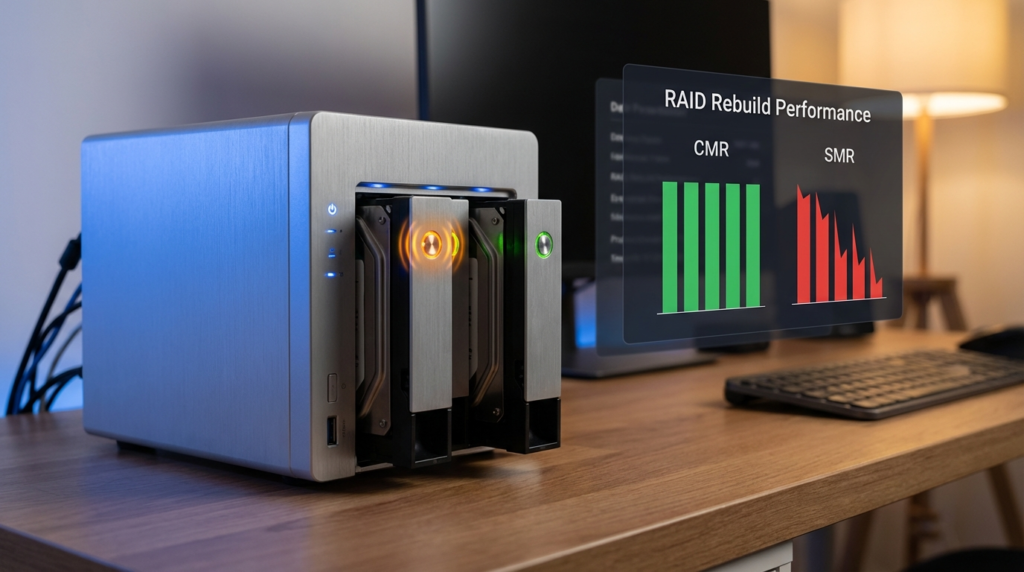
Here’s what actually happens during a RAID rebuild with an SMR drive. When one drive in your array fails or is replaced, the controller reads data from the remaining drives and writes it to the new one. This process involves massive amounts of random write activity — exactly what SMR handles badly.
The drive enters what’s called a “write penalty” phase. It has to read an entire zone (a group of shingled tracks), modify it in cache, then rewrite the whole zone back. Under continuous load, this cycle creates a massive bottleneck. The rebuild slows down dramatically — what should take hours can stretch into days or weeks.
Why this causes a second drive to fail: RAID rebuilds stress every remaining drive in the array. They spin continuously at high load, generating heat, cycling through reads millions of times. The longer the rebuild takes, the higher the chance that another drive — already older, already stressed — fails before the rebuild completes. When that happens, you’ve lost your redundancy window and potentially your data.
ZFS users face this even more acutely. ZFS is known for its data integrity features, but those features depend on drives that respond predictably under load. SMR drives under ZFS scrubs or resilver operations behave erratically — the drive’s internal cache fills up, the firmware slows writes to a trickle, and ZFS can misinterpret this as a failing drive or simply time out.
The WD Red Problem: A Real-World Case That Shook the NAS Community
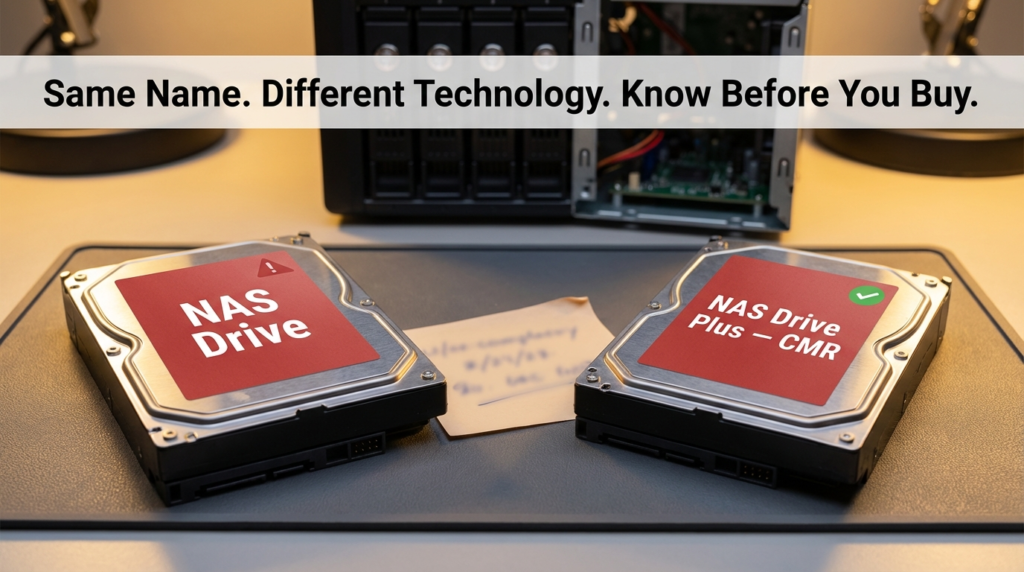
In 2020, Western Digital confirmed that a significant portion of their standard WD Red drives — widely recommended for NAS use — used SMR technology. This wasn’t disclosed on the product page. Buyers who had been purchasing WD Red for years assumed they were getting CMR drives, just as they always had.
The fallout was significant. NAS forums, Reddit threads, and data recovery communities filled up with reports of failed rebuilds, sluggish performance, and drives that seemed fine individually but fell apart under RAID workloads.
Here’s the critical distinction that still trips people up:
| Drive Model | Recording Type | NAS/RAID Safe? |
|---|---|---|
| WD Red (standard) | SMR | No — avoid for RAID/ZFS |
| WD Red Plus | CMR | Yes |
| WD Red Pro | CMR | Yes |
| WD Gold | CMR | Yes |
| Seagate IronWolf | CMR | Yes (most models) |
| Seagate IronWolf Pro | CMR | Yes |
| Toshiba N300 | CMR | Yes |
The “Plus” in WD Red Plus isn’t just marketing filler — it’s the signal that the drive uses CMR. Standard WD Red without “Plus” is often SMR. That one word makes the difference between a stable NAS and a rebuild nightmare.
Backblaze, which runs one of the largest independent hard drive reliability studies in the world, publishes quarterly drive stats. Their Q3 2024 Drive Stats report tracks annualized failure rates across tens of thousands of drives in real data center conditions. It’s worth checking before you buy — their data reflects actual long-term performance, not spec sheets.
Drives You Should Avoid for NAS: The SMR “Do Not Buy” List
This list reflects drives that have been confirmed as SMR through manufacturer documentation, community teardowns, or official disclosure. Avoid these for any RAID or ZFS setup:
Western Digital:
- WD Red (non-Plus, 2TB–6TB range — these are the most commonly SMR)
- WD Blue (most desktop capacities)
- WD Green (discontinued but still circulating used)
Seagate:
- Seagate Barracuda (SMR at larger capacities — 8TB+ models)
- Seagate Desktop HDD (older lineup)
Toshiba:
- Toshiba P300 (consumer desktop — SMR at higher capacities)
One thing worth knowing: drive manufacturers don’t always publish recording technology on the product page. The only reliable ways to confirm are to check the official spec sheet PDF, look for firmware identifiers in community databases like the NAS Compares SMR list, or check the drive’s reported sector size behavior using tools like hdparm or CrystalDiskInfo.
How to Actually Check Before You Buy
Checking the box or product listing isn’t enough. Here’s a practical approach:
Check the spec sheet, not the product page. Manufacturers often list recording technology buried in the official data sheet PDF. Search for the exact model number plus “spec sheet” or “data sheet.”
Look at the model number suffix. WD Red Plus uses EFRX or EFAX suffixes for CMR models. Standard WD Red uses EFAX too in some generations — which is part of why this got so confusing. Cross-reference with the WD official product comparison page.
Use community-verified lists. Sites like NAS Compares maintain updated lists of confirmed SMR and CMR drives. These are more reliable than relying on a retailer listing.
Check with hdparm after the fact. If you’ve already bought a drive, run sudo hdparm -I /dev/sdX on Linux. Some SMR drives report sector sizes or internal zone sizes that differ from CMR behavior.
Performance Comparison: SMR vs. CMR Under Real NAS Workloads
| Workload | CMR Behavior | SMR Behavior |
|---|---|---|
| Sequential writes (large files) | Fast, consistent | Fast initially, slows when cache fills |
| Random writes (databases, VMs) | Stable | Significant slowdown |
| RAID5/6 rebuild | Hours to 1–2 days | Days to weeks |
| ZFS resilver | Steady, predictable | Erratic, possible timeout errors |
| Plex media server reads | Smooth | Generally fine for reads |
| NAS backup target (write once) | Fine | Acceptable if not in RAID |
The key takeaway here is that SMR isn’t universally bad — it’s specifically bad for use cases that involve heavy random writes or RAID redundancy. A standalone backup drive that you write to once and store? SMR is fine there. A drive inside a Synology or QNAP running ZFS or RAID? That’s where things break down.
Frequently Asked Questions
Can I use SMR drives in a NAS if I don’t use RAID? Yes, with limitations. If your NAS is running in JBOD mode or as a simple single-drive share with no redundancy, SMR drives will work — though you’ll still see slowdowns during heavy random write sessions. Just don’t put them in any RAID configuration.
How do I know if my existing NAS drives are SMR? Check the exact model number on the drive label, then search it against the manufacturer’s official spec sheet or a community SMR database. The label model number is more reliable than what the retailer listed.
Will SMR drives always fail in RAID? Not always — but the risk is significantly higher. Some smaller arrays with lighter workloads may never hit the failure scenario. The danger is that when something does go wrong and a rebuild kicks off, SMR drives turn a manageable event into a potential data loss situation.
Is WD Red Plus actually CMR now, or did they change it again? As of the most recent product documentation, WD Red Plus remains CMR. However, always verify before buying by checking Western Digital’s official product page and downloading the spec sheet for the exact SKU you’re purchasing.
The Bottom Line
The SMR vs. CMR distinction isn’t a minor technical footnote — it directly affects whether your RAID array survives a drive failure. The WD Red situation showed that even trusted brands under trusted product names can ship SMR drives without making it obvious. “NAS compatible” on a label doesn’t mean CMR.
If you’re building or expanding a NAS, start with the recording technology before anything else. Check the spec sheet, cross-reference with community lists, and treat WD Red (non-Plus) as off-limits for RAID or ZFS work. The price difference between an SMR and CMR drive is real, but it’s a fraction of what you’d spend on data recovery if a weeks-long rebuild takes down a second drive.
A rebuild that should take 18 hours shouldn’t take 18 days. The drives you pick at the start determine which one you get.