If you’ve upgraded to a Wi-Fi 6E mesh system and noticed your speeds dropping after a few hours, the problem might not be your ISP or your router settings. It might be where you put the hardware. Specifically, if that mesh node is sitting inside a media closet, entertainment cabinet, or any enclosed shelf — you’re likely dealing with thermal throttling, and it’s quietly killing your network performance.
This is one of those problems that doesn’t show up in any spec sheet. You buy a $400+ mesh system, follow the setup steps, and things seem fine at first. Then speeds drop, latency spikes, and you spend hours troubleshooting the wrong things. I’ve been writing about office and home network infrastructure for years, and thermal management in mesh systems is one of the most consistently misunderstood issues I come across. Most people never connect the dots between a hot router and a slow network.
Here’s what’s actually happening — and how to fix it.
What Makes Wi-Fi 6E Hardware Run Hotter Than Older Routers
Wi-Fi 6E adds a third radio band: the 6 GHz spectrum. The FCC officially opened this band for unlicensed Wi-Fi use, which you can verify directly through the FCC’s official document on the 6 GHz band ruling. That extra radio band is great for speed and congestion, but it comes with a real cost — power consumption.
A Wi-Fi 6E node is managing three simultaneous radios: 2.4 GHz, 5 GHz, and 6 GHz. Each radio has its own chipset, amplifier, and processing load. Older dual-band routers handled two. Tri-band Wi-Fi 6 systems handled three but didn’t include the higher-frequency 6 GHz radio, which demands more signal processing to compensate for its shorter range. The result is that 6E chipsets produce noticeably more heat per hour of operation than their predecessors, especially under load.
Manufacturers design these units expecting passive airflow — warm air rises off the device, cooler air flows in from the sides. That only works if there’s actual airflow around the unit. Close it inside a cabinet, and that cycle stops.
The Cabinet Problem: Why Enclosed Spaces Are the Worst Place for a Mesh Node
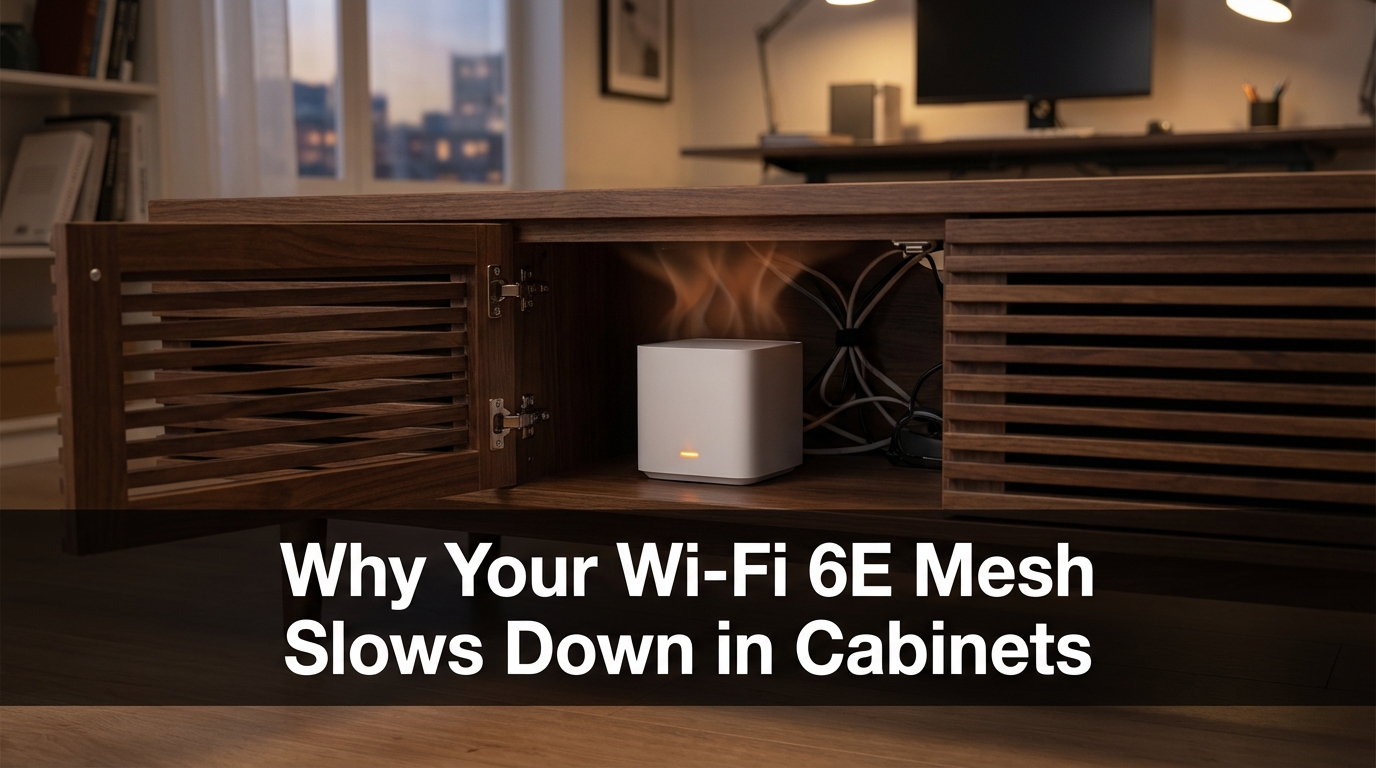
Media closets and entertainment cabinets seem like the perfect place to hide your networking gear. They keep things tidy, protect the hardware from kids and pets, and reduce visual clutter. The problem is that most of them have little to no ventilation. What starts as a clean installation turns into a heat trap.
Inside an enclosed cabinet, a 6E mesh node can push ambient temperatures well above what the hardware is rated for during sustained operation. When internal temperatures climb past the chip’s threshold, the firmware automatically reduces performance to prevent damage. This is called thermal throttling, and it’s a built-in protection mechanism — not a defect. The defect is the placement, not the device.
The speed drop isn’t subtle. Under significant thermal stress, mesh nodes can lose roughly 40% of their throughput compared to performance in open air. You’re not imagining slower speeds — you’re measuring the real cost of bad placement.
Temperature vs. Throughput: What the Numbers Show
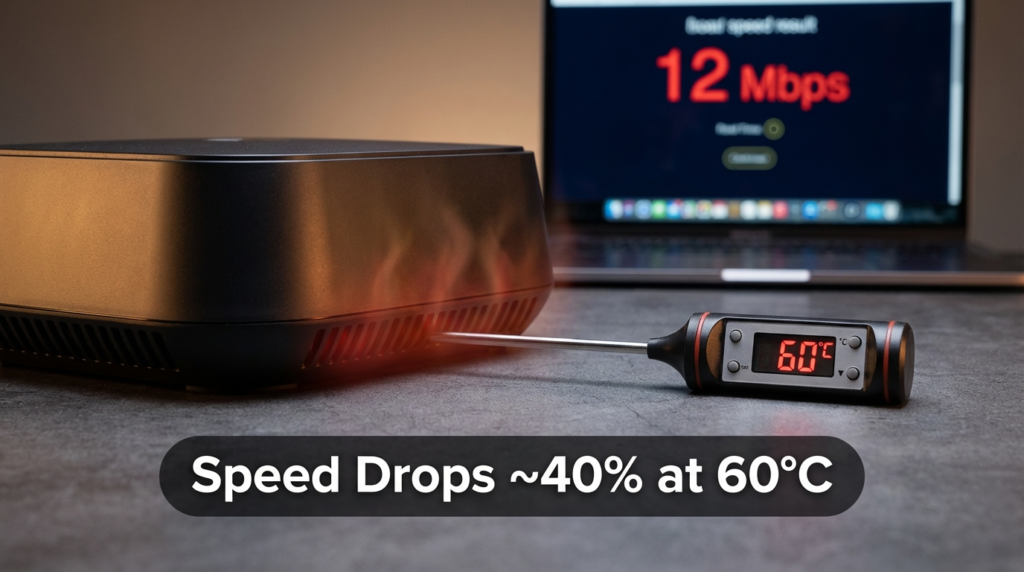
The table below shows how speed degradation typically progresses as ambient temperature around a 6E node climbs. These aren’t manufacturer-published numbers — they reflect the kind of performance drops observed in real-world testing under thermal stress conditions.
| Ambient Temperature Around Node | Approximate Throughput Impact |
|---|---|
| 30°C (86°F) | Minimal — normal operating range |
| 40°C (104°F) | Mild throttling begins; noticeable latency increase |
| 50°C (122°F) | Moderate throttling; speeds drop noticeably |
| 60°C (140°F) | Heavy throttling; ~40% throughput loss or more |
| 70°C+ (158°F+) | Risk of hardware shutdown or permanent damage |
The jump from 40°C to 60°C isn’t dramatic from a room temperature standpoint, but inside a sealed cabinet with a high-end mesh node running video streams and file transfers, reaching 60°C is easier than most people expect — especially in warmer climates or during summer months.
The 6 GHz Range Problem Nobody Talks About Enough
There’s a second issue that compounds the cabinet problem, and it’s about physics, not heat. The 6 GHz band has shorter wave propagation than 5 GHz. That means it struggles more with physical obstacles — walls, floors, furniture, even thick cabinet doors.
Where a 5 GHz signal might push through a standard drywall partition and maintain a usable connection in the next room, 6 GHz loses more signal strength doing the same. This isn’t a flaw in the technology; it’s just how higher frequencies behave. The tradeoff for speed is range and penetration.
What this means practically: if you want full 6 GHz coverage across the same square footage as your old 5 GHz setup, you’ll need more nodes. A setup that worked with two nodes on a dual-band system might need three or four nodes on a 6E system to provide the same room-by-room 6 GHz coverage. And here’s the compounding problem — more nodes means more heat-generating hardware, and if you’re placing multiple nodes in a shared media closet or stacked shelf, you’re multiplying your thermal risk.
5 GHz vs. 6 GHz Signal Penetration: A Quick Comparison
| Factor | 5 GHz | 6 GHz |
|---|---|---|
| Wall penetration | Moderate | Lower |
| Range in open space | Good | Slightly less |
| Speed potential | High | Higher |
| Required nodes for equal coverage | Fewer | More |
| Heat output per node | Moderate | Higher |
Signs Your Mesh Node Is Thermally Throttling Right Now
Most mesh systems don’t surface thermal data to the end user through the standard app interface. You won’t see a temperature warning — you’ll just see symptoms. Here’s what to look for:
- Speeds that are consistently lower than your plan’s advertised rate, even when connected on a close device
- Performance that’s noticeably better early in the morning before the hardware has been running for hours
- Devices dropping from the 6 GHz band and falling back to 5 GHz automatically
- The mesh node feeling hot to the touch, or warm air building up inside the cabinet around it
If your speeds improve significantly after you open the cabinet doors or temporarily move the node to an open surface, thermal throttling is almost certainly the cause.
How to Fix It Without Relocating Your Entire Setup
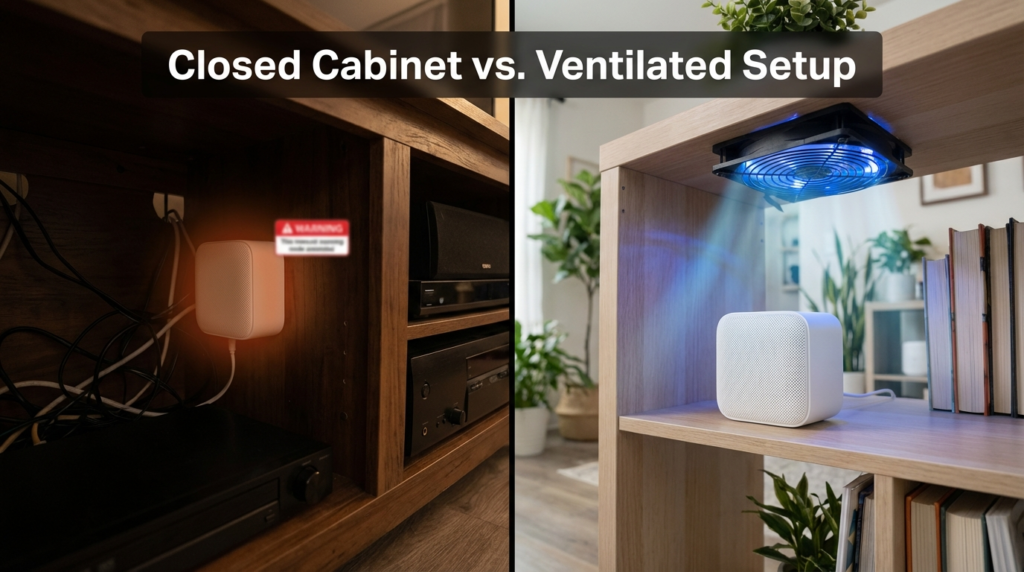
Relocating the node to an open shelf or mounting it on a wall is the most effective fix. But that’s not always possible. Here are approaches that actually work when you’re constrained by space or aesthetics:
Cabinet ventilation: Adding a small 120mm fan to your media cabinet — either mounted at the back venting out, or at the top — can drop internal temperatures meaningfully. Some media closets now come with built-in fan panels for exactly this reason. Even passive ventilation holes cut into the back panel help more than most people expect.
Mesh node placement within the cabinet: If you have to use a closed cabinet, place the node at the top of the cabinet, not the bottom. Heat rises. Giving it vertical space above and below improves passive airflow even in a confined space.
Node spacing: If you’re running multiple 6E nodes in the same room or closet, keep them physically separated. Stacking them or placing them adjacent forces each one to absorb the other’s radiated heat.
Check your backhaul setup: Many Wi-Fi 6E mesh systems use the 6 GHz band as a dedicated backhaul connection between nodes. If your primary node is throttling due to heat, the entire mesh suffers — not just the devices nearest that node. Getting the backhaul link running cool keeps the whole network healthy.
Real-World Example: The Home Office Media Closet Situation
A situation I’ve come across more than once in my writing on network setups: someone builds out a clean home office, tucks all the networking gear into a closet with a door, and then wonders why their video calls drop quality every afternoon. After ruling out ISP issues, the pattern becomes clear — the closet gets warmer through the day as the equipment runs, and by early afternoon the ambient temperature inside is high enough to trigger sustained throttling.
The fix in those cases was straightforward: adding a small exhaust fan to the top of the closet and leaving the door slightly ajar during heavy work hours. Speeds recovered significantly without moving any hardware.
The lesson isn’t that Wi-Fi 6E is fragile. It’s that higher-performance hardware has higher thermal requirements, and the same placement habits that worked for a $60 ISP-provided modem-router combo don’t automatically transfer to premium tri-band mesh systems.
Frequently Asked Questions
Does Wi-Fi 6E actually run hotter than Wi-Fi 6? Yes. The addition of the 6 GHz radio and the processing required to manage three simultaneous bands means 6E chipsets generate more heat per unit of time than dual-band or standard tri-band Wi-Fi 6 hardware.
How much speed can I realistically lose from thermal throttling? Under significant heat stress — ambient temperatures around 60°C — throughput drops of around 40% have been observed in real-world conditions. Exact numbers vary by hardware model and workload.
Will my mesh system warn me before it throttles? Most consumer mesh apps don’t display temperature data or throttling alerts. You’ll typically notice it through slower speeds or devices falling back to lower-frequency bands before any app notification appears.
Do I need more 6E mesh nodes than I had with my old 5 GHz setup? Likely yes, for the same coverage quality. The 6 GHz band doesn’t penetrate walls as well as 5 GHz, so achieving the same room-by-room 6 GHz coverage usually requires additional nodes placed closer together.
Can a fan inside a media cabinet actually make a difference? Yes, meaningfully. Even a single 120mm fan exhausting warm air from a cabinet can drop internal ambient temperature enough to move the hardware out of heavy throttling range during sustained use.
The Bottom Line
Wi-Fi 6E mesh systems are genuinely capable hardware — but they generate more heat than what came before, and they require airflow to deliver on their speed potential. Closed cabinets eliminate that airflow, temperatures climb, and the hardware responds the only way it can: by slowing down.
The 6 GHz band’s reduced wall penetration adds another layer of planning that older setups didn’t require. More nodes, placed carefully, in open or well-ventilated locations — that’s what a properly functioning 6E mesh actually looks like in practice.
If your setup is currently inside a closed cabinet and your speeds feel inconsistent, try opening the doors for a day and see what your speeds do. The answer is usually immediate and obvious. From there, proper ventilation or a placement change will keep things running the way the hardware was designed to.