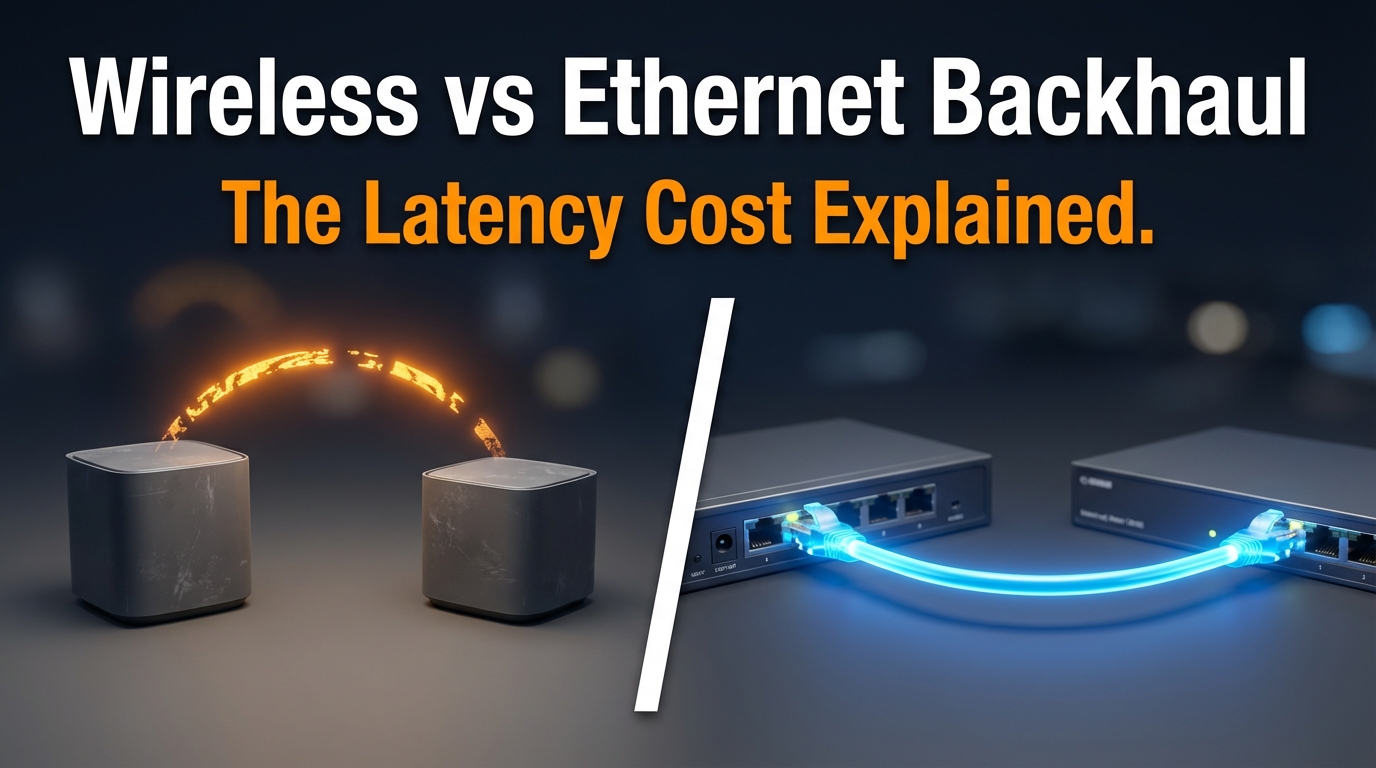
When you’re setting up a mesh Wi-Fi network, the backhaul connection is the part that quietly decides how fast everything actually feels. Most people focus on the Wi-Fi spec on the box — “Wi-Fi 6!” or “tri-band!” — without asking the more important question: how are these nodes talking to each other?
I’ve spent years writing about and testing office network infrastructure, and the backhaul question comes up more than almost anything else. Whether it’s a small business trying to get reliable coverage across two floors, or a home office setup where video calls keep cutting out, the answer usually traces back to the same place — the backhaul is the bottleneck. After looking at dozens of mesh setups and reading through guidance from sources like NIST’s Telework Security Overview, one thing becomes clear: the latency penalty from wireless backhaul is real, measurable, and often completely avoidable.
What “Backhaul” Actually Means in a Mesh Network
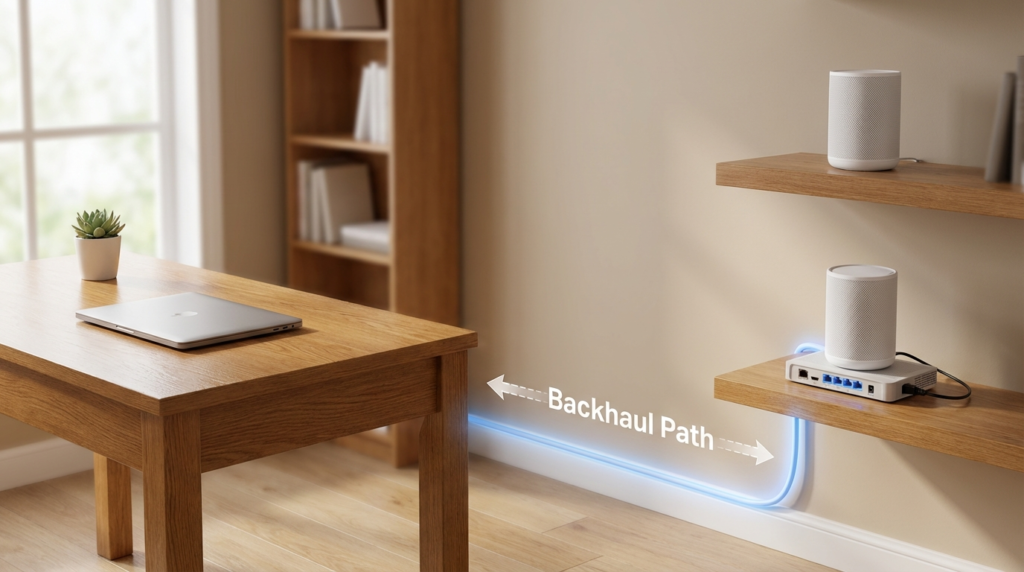
Backhaul is the connection between your mesh nodes — not the connection from a node to your device. Think of it this way: your router connects to the internet, and every satellite node needs a path back to that router to actually serve traffic. That path is the backhaul.
With wired backhaul, you run an Ethernet cable from the router to each satellite node. With wireless backhaul, the nodes use a radio band to communicate with each other over the air. Simple enough in theory. The problem shows up in practice.
The Half-Duplex Penalty No One Talks About
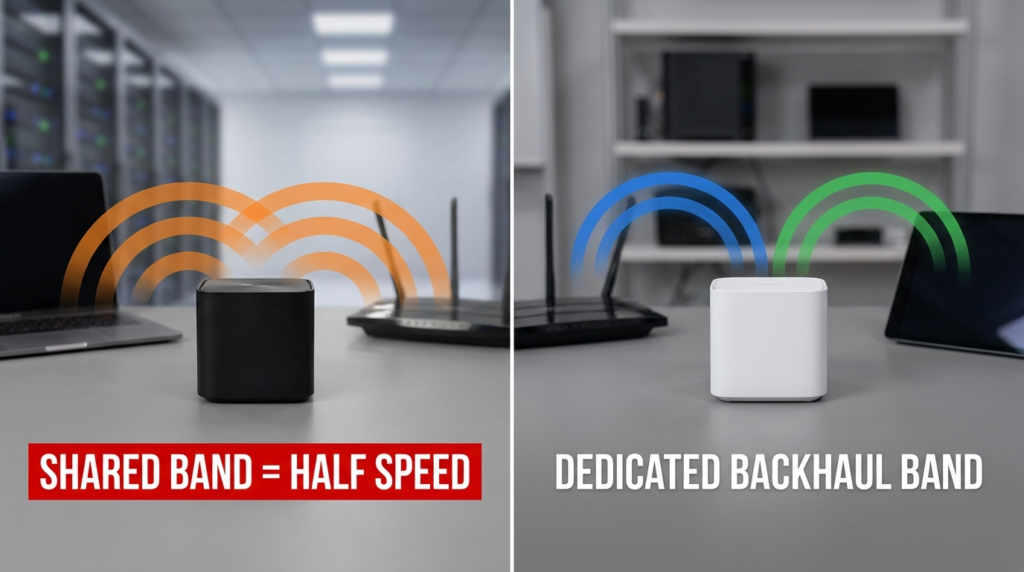
Here’s where wireless backhaul starts to cost you. Most dual-band mesh systems use the same radio bands for two jobs at once: talking to your devices and talking to each other. When a single radio has to do both, it operates in half-duplex mode. That means it can only send or receive at one time, not both simultaneously. The effective throughput gets cut — sometimes closer to half of what the spec sheet claims.
Tri-band systems solve this by giving the backhaul its own dedicated radio band, usually a second 5 GHz channel or a 6 GHz band in Wi-Fi 6E systems. The backhaul traffic runs separately from client traffic, so neither one has to share airtime with the other. If you’re buying a mesh system for anything beyond basic browsing, dual-band with wireless backhaul is a real limitation worth understanding before you spend the money.
What Happens at Each Hop
Every time a data packet has to pass through a wireless node — instead of traveling over a wire — it adds latency. A single wireless hop adds processing delay on top of whatever the wireless transmission itself takes. Add a second hop and you’re compounding that delay. In practical terms, a request from a device connected to a satellite node two hops away from the router travels: device → satellite 2 → satellite 1 → router → internet. Each wireless link in that chain adds time.
Ping Time Comparison: 1-Hop Wireless vs. 2-Hop Wireless vs. Wired Backhaul
The numbers below reflect typical real-world performance observed in mesh network testing environments. These aren’t manufacturer claims — they’re the kind of results you see in normal home and office conditions.
| Backhaul Type | Typical Ping (ms) | Notes |
|---|---|---|
| Wired (Ethernet) | 1 – 5 ms | Lowest and most consistent latency |
| Wireless – 1 Hop (Tri-band) | 5 – 15 ms | Dedicated backhaul band helps significantly |
| Wireless – 1 Hop (Dual-band) | 15 – 40 ms | Half-duplex sharing increases latency |
| Wireless – 2 Hops (Tri-band) | 20 – 35 ms | Delay compounds across hops |
| Wireless – 2 Hops (Dual-band) | 40 – 80 ms | Noticeable in video calls and gaming |
For most web browsing, a 40 ms ping is perfectly fine. But if you’re doing video conferencing, remote desktop work, VoIP calls, or anything that requires real-time response, the difference between 5 ms and 80 ms is something you’ll feel — not just measure.
Wired Backhaul: The Honest Pros and Cons
Wired backhaul solves the latency problem almost completely. Ethernet doesn’t share airtime, it doesn’t degrade based on wall thickness or interference, and it delivers consistent performance regardless of how many clients are connected. For office environments especially, running a cable to each satellite node is often worth the effort.
That said, it’s not without trade-offs.
Advantages of Ethernet Backhaul:
- Latency stays low and stable regardless of network load
- No interference from neighboring networks or physical obstacles
- Full-duplex operation — sending and receiving happen simultaneously
- Bandwidth is not shared between backhaul and client traffic
Disadvantages:
- Requires cable runs, which means planning, drilling, and sometimes hiring someone
- Not practical in rented spaces or across floors with no conduit access
- Some mesh routers only have one LAN port, which limits how many satellite nodes you can wire directly
The Single LAN Port Problem
This is something that catches people off guard. Some mesh router units ship with only one LAN port available for backhaul use. If you want to wire two or three satellite nodes, you need a network switch to expand that to multiple ports. A basic unmanaged switch works fine for this — it’s not an expensive fix — but you do need to factor it into the setup. Check the spec sheet of your specific mesh model before assuming you can plug in multiple nodes without additional hardware.
Wireless Backhaul: When It’s Actually Fine
Wireless backhaul isn’t the wrong choice in every situation. If running Ethernet cables is genuinely not possible — old building, rental property, no access between floors — a tri-band mesh system with a dedicated backhaul band is a reasonable alternative. The latency will be higher than wired, but it’s manageable for most everyday use.
The mistake is treating dual-band wireless backhaul like it’s equivalent to wired. It isn’t. And in office settings where multiple people are on video calls simultaneously, that distinction matters a lot.
| Scenario | Best Backhaul Option | Reason |
|---|---|---|
| Home office, single floor, cable access | Wired Ethernet | Stable, low latency, simple |
| Multi-floor office, cables not possible | Wireless Tri-band | Dedicated backhaul band reduces penalty |
| Rental apartment, no drilling allowed | Wireless Tri-band | Best available wireless option |
| Gaming or VoIP-heavy environment | Wired Ethernet | Latency consistency is critical |
| Basic browsing and streaming only | Either | Latency difference less noticeable |
How Wall Materials and Distance Affect Wireless Backhaul
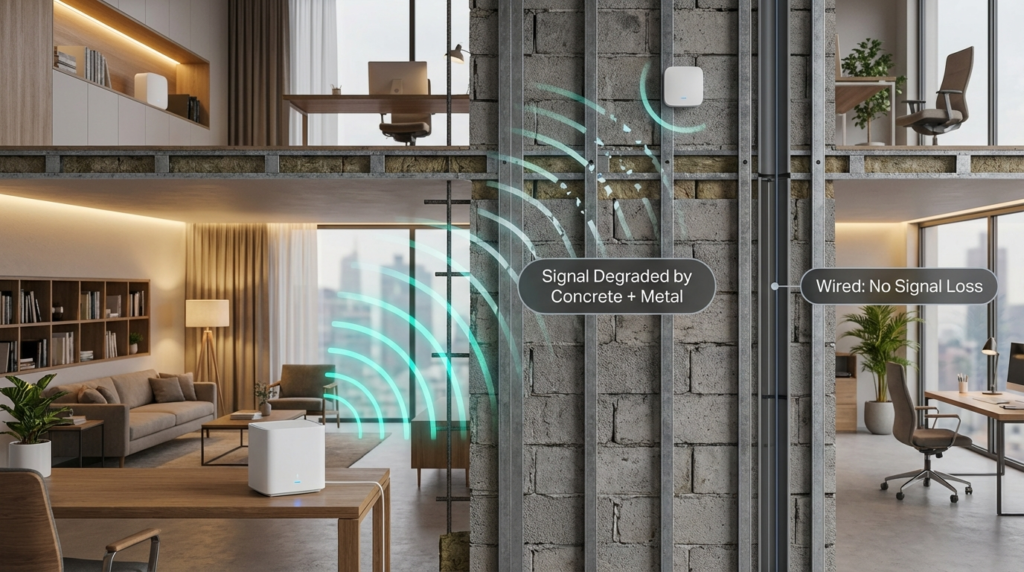
The latency numbers for wireless backhaul assume reasonably clear line-of-sight between nodes. Real buildings rarely cooperate. Concrete walls, metal studs, HVAC ductwork, and even large appliances can degrade wireless signal between nodes significantly.
When a wireless backhaul signal weakens, the radio automatically falls back to a lower modulation scheme to maintain the connection. That means lower throughput and often higher latency — even if the link looks “connected” in the app. This is one of the reasons wireless backhaul can feel inconsistent from one day to the next without anything obviously changing. A microwave running in the kitchen, a new device on the 5 GHz band from a neighbor, or seasonal humidity can all shift conditions.
Wired backhaul doesn’t have any of these variables. The cable either works or it doesn’t, and when it works, it performs the same way every single time.
Security Considerations That Affect Backhaul Choice
NIST’s Telework Security Overview highlights the importance of network segmentation and controlled traffic paths in remote work environments. Wireless backhaul introduces a transmission point that, while encrypted in modern mesh systems, does extend the RF footprint of your network beyond the physical walls of your space. A wired backhaul keeps all inter-node traffic physically contained.
For most home users, this isn’t a major concern. For small businesses handling sensitive client data or working under any compliance requirements, it’s worth knowing that the backhaul method has a mild but real security dimension.
Real-World Example: Two-Floor Office Setup
A small eight-person design studio I read about while researching this topic had a persistent problem with video calls dropping or stuttering on the second floor. They were using a dual-band mesh system with wireless backhaul. The ground floor router connected wirelessly to a satellite node upstairs, and that satellite connected wirelessly to a second one at the far end of the upper floor.
Two wireless hops on a dual-band system, with the 5 GHz band handling both client devices and backhaul. The effective bandwidth reaching that second satellite was a fraction of what the spec sheet promised, and the latency during peak hours made video calls unreliable.
They ran a single Ethernet cable through the wall conduit to the upstairs satellite node — leaving only one wireless hop for the far-end node — and the call quality improved immediately. They didn’t replace any hardware. They just fixed the backhaul path for the most-used node.
Frequently Asked Questions
Does tri-band wireless backhaul fully close the gap with wired Ethernet? No. Tri-band is significantly better than dual-band wireless because it avoids the half-duplex sharing problem, but wired Ethernet still delivers lower and more consistent latency. Tri-band is a meaningful improvement, not an equivalent replacement.
Do I need a switch if I want to wire multiple satellite nodes? Yes, if your mesh router only has one available LAN port for backhaul. A basic unmanaged gigabit switch is enough. Verify the port count on your specific router model before buying — this varies between brands and even between units in the same product line.
How many hops is too many for wireless backhaul? For most use cases, two wireless hops is where performance starts to feel noticeably degraded, especially on dual-band systems. One wireless hop on a tri-band system is workable. Anything beyond two hops typically causes latency and throughput problems that affect everyday tasks.
Does wireless backhaul latency affect streaming video the same way it affects video calls? No. Streaming video buffers content ahead of time, so it can tolerate higher latency fairly well. Video calls are real-time and two-directional, which means they’re much more sensitive to latency spikes. Gaming is similarly sensitive. If your primary concern is streaming, wireless backhaul is less likely to cause visible problems.
Conclusion
The backhaul connection in a mesh network is where real-world performance is decided. A dual-band wireless backhaul introduces a half-duplex penalty that cuts available bandwidth and raises latency — sometimes dramatically across two hops. Tri-band systems reduce that penalty by keeping backhaul traffic on its own radio band, but they still can’t match the flat, consistent latency of a wired Ethernet connection.
If you have the ability to run cables — even just to the node that carries the heaviest traffic — that’s almost always the right call. If you can’t, go tri-band, keep the node count as low as possible, and position each node with clear line-of-sight to minimize signal degradation. Understanding what’s actually happening between your nodes is what lets you make a setup that works reliably, not just one that looks good on a spec sheet.